M Installer.
Cherry — the core setup tool for security systems, reimagined to streamline installation for field technicians.
Role
Product Designer
Platform
iOS / Android
Stack
Figma, Adobe, ChatGPT
Process
Agile sprints, ongoing

Four stages instead of one long setup.
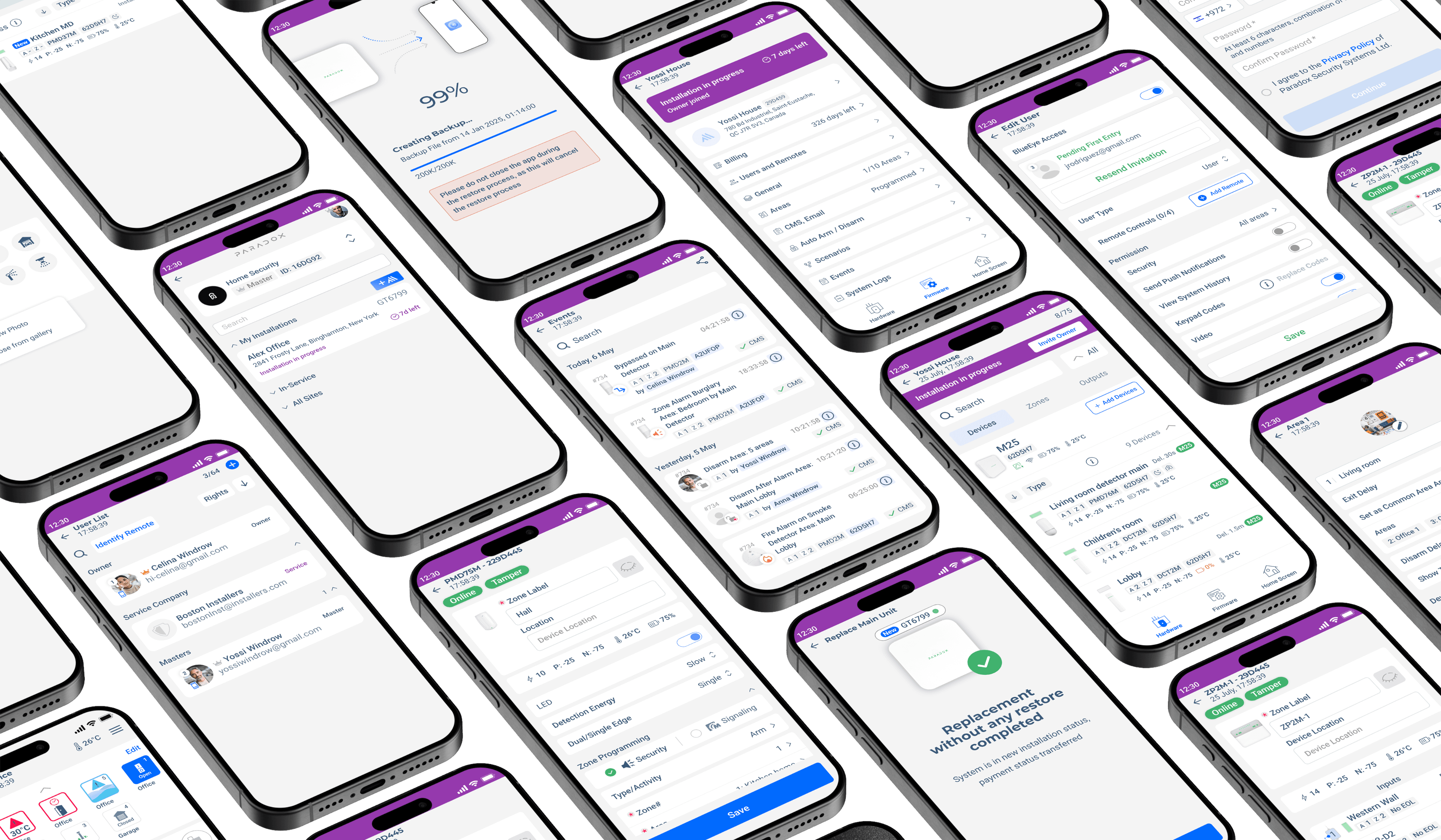 Setup, Device Pairing, Programming, Testing — a structured flow that reduces errors and keeps installers moving.
Research & Insights
01
Mobile, not desktop
Installers configure complex systems from a phone under time pressure — no side-by-side diagnostics, device lists and settings.
02
Two kinds of user
Experienced technicians want speed and minimal interruption; newer users need guidance and clarity during setup.
03
Contextual help only
Assistance appears where it adds value — after device scanning, during troubleshooting, when configuring unfamiliar hardware.
 Physical Paradox device system.
 Brainstormed features, user flows, installation workflows and usability improvements for M Installer.
Strategy
01
Understand the flow
Mapping the current installation process — unclear steps, outdated components, points where configuration confuses users.
02
Improve guidance
Clearer navigation, step-by-step progress indicators, simplified configuration options and contextual help.
03
Make it transparent
Real-time status, clearer error messages and visible installation stages so users stay confident throughout setup.

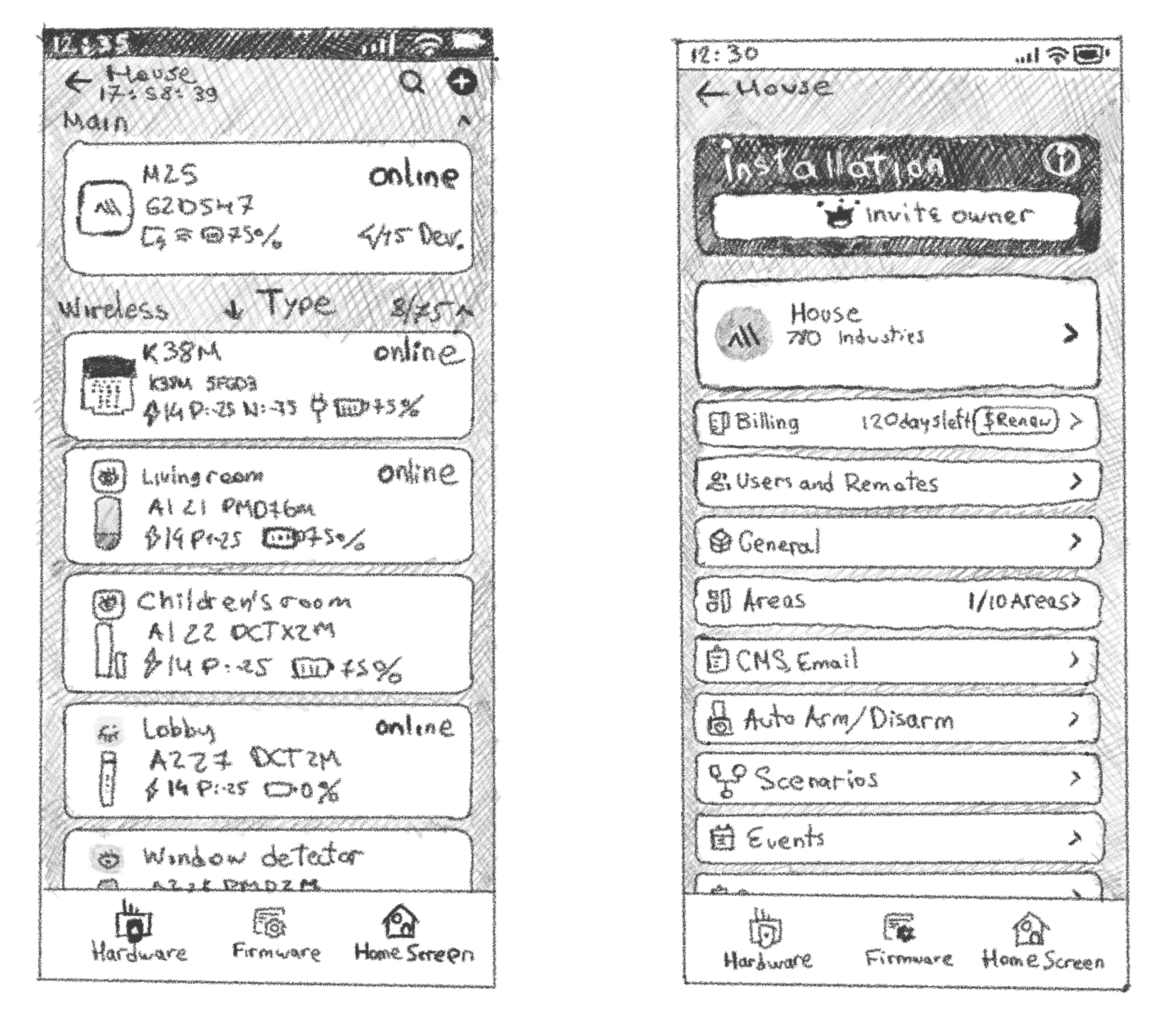 Pencil sketches exploring hardware interfaces and firmware screen concepts.
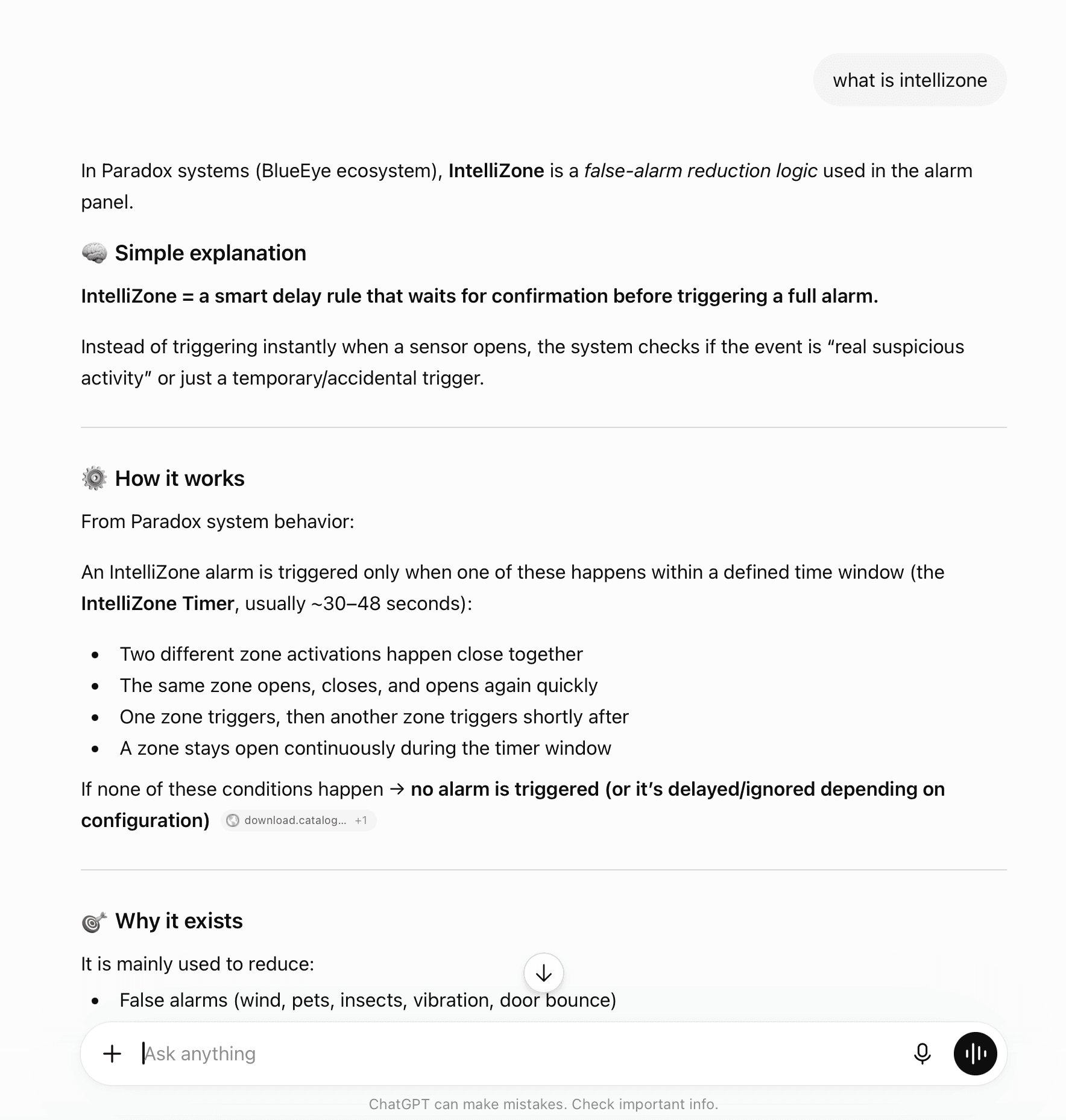
Paradox GPT

Installer Journey
From device discovery and configuration to diagnostics and remote maintenance.Main Flows
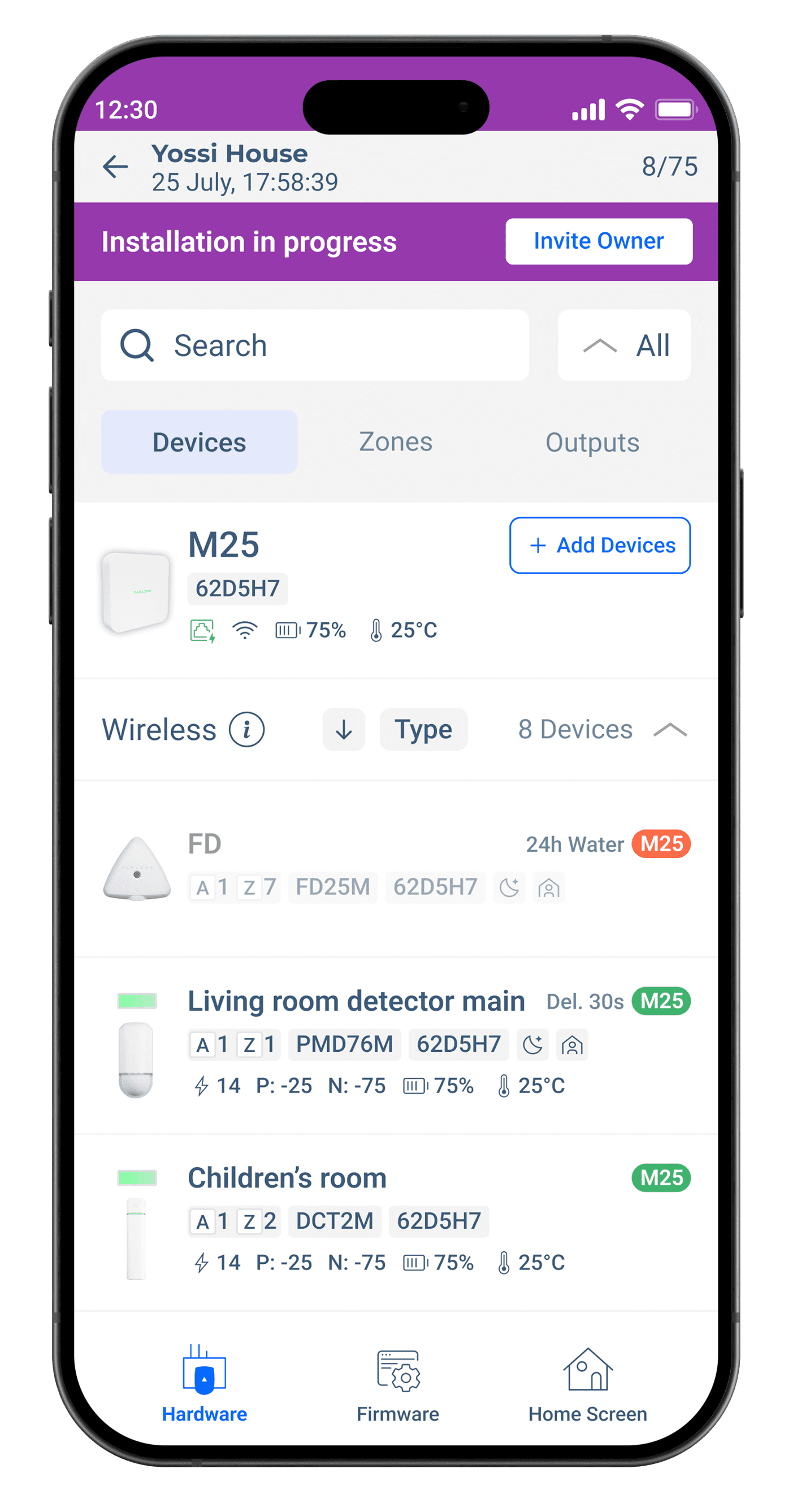 Device List
Connected devices with status, battery, signal and temperature. Search, filter, add; tabs switch between Devices, Zones and Outputs.
Device List
Connected devices with status, battery, signal and temperature. Search, filter, add; tabs switch between Devices, Zones and Outputs.
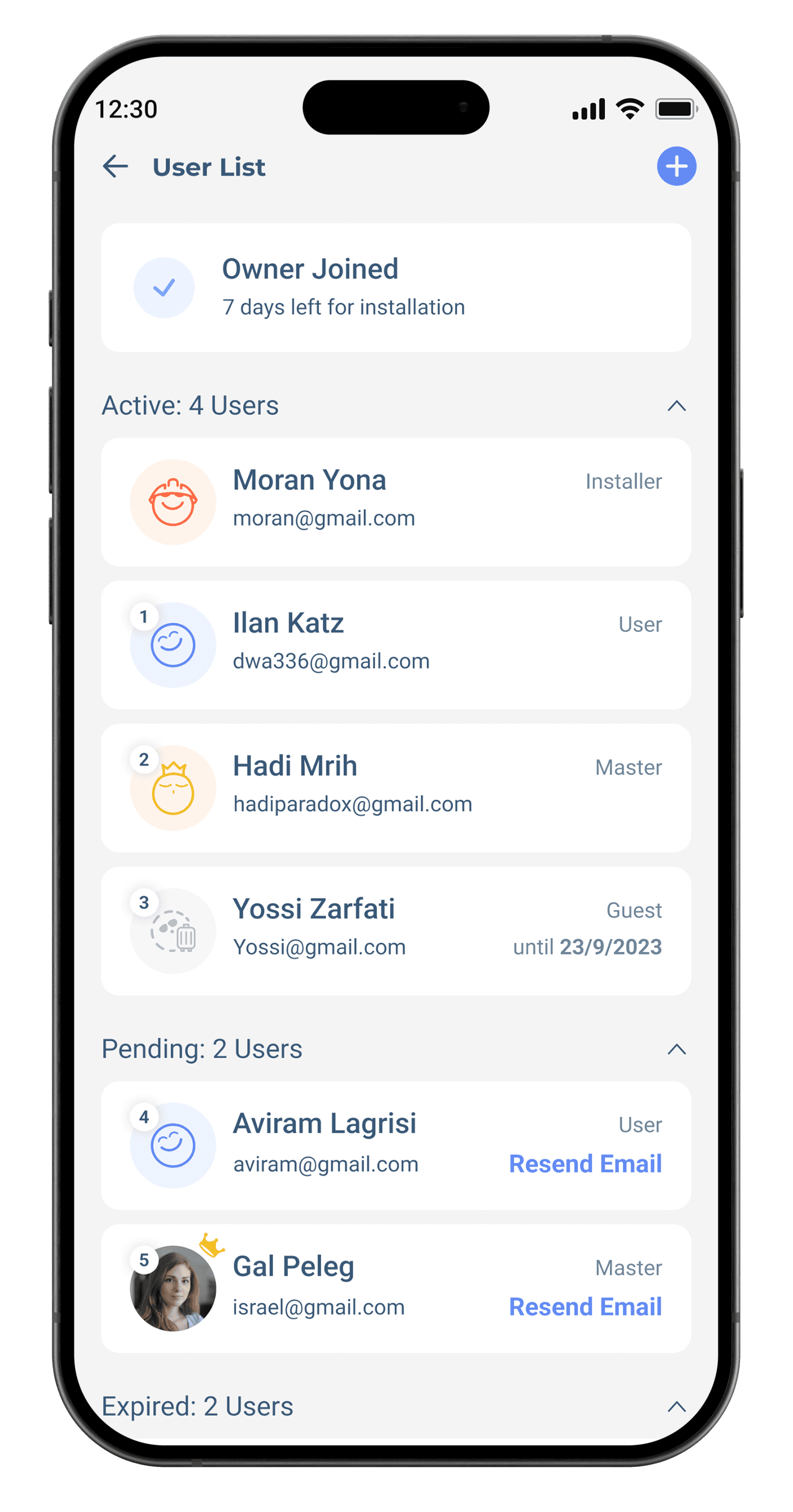 User List
Active, pending and expired users grouped with role labels and quick actions like Resend Email.
User List
Active, pending and expired users grouped with role labels and quick actions like Resend Email.
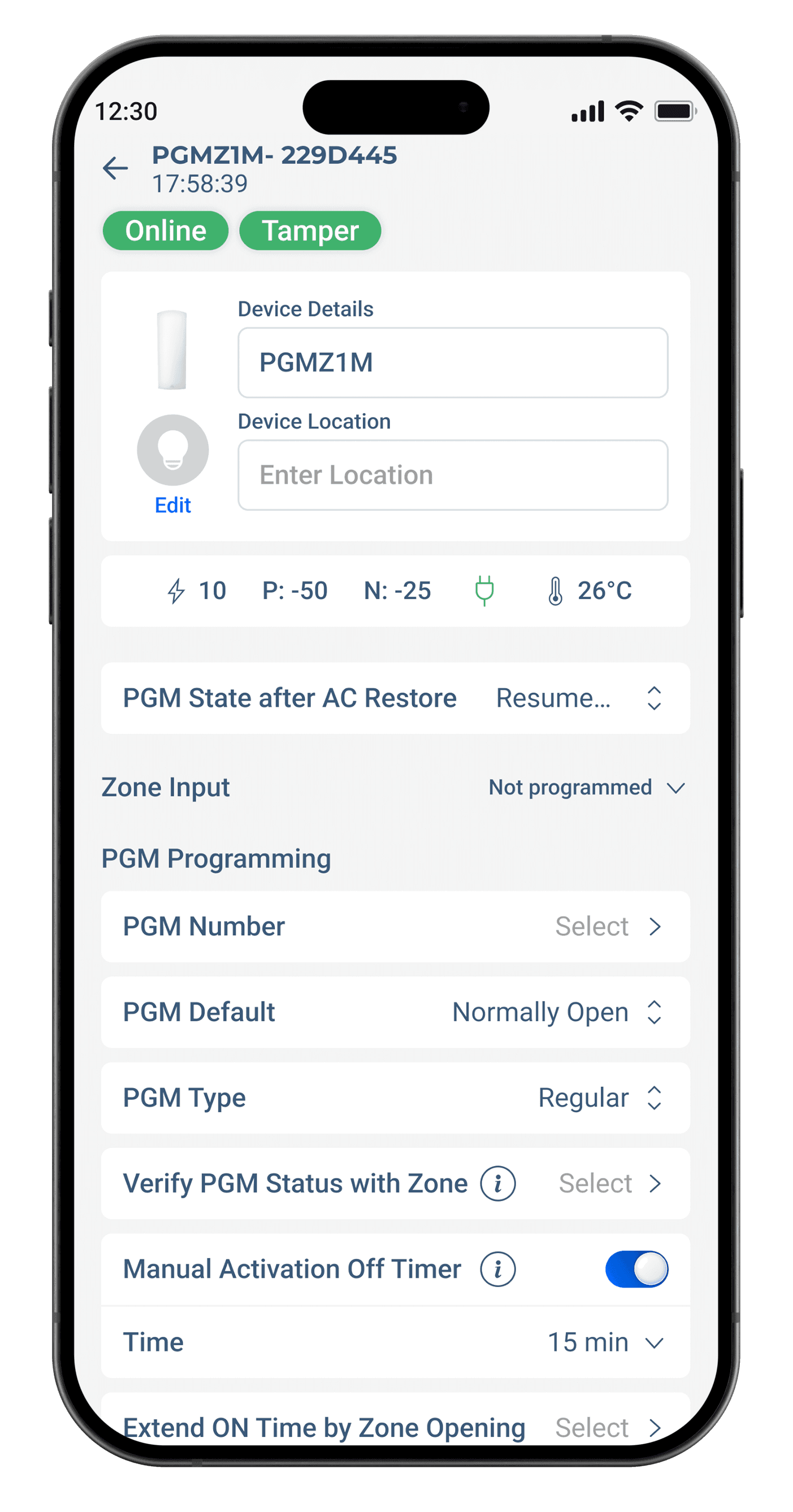 Device Programming
Status, live metrics and editable details in one layout — default states, types, timers and zone links.
Device Programming
Status, live metrics and editable details in one layout — default states, types, timers and zone links.
Dark Mode


Physical Zone

DOMUS
Work Sprints
 Planning, wireframing, prototyping, design review, handoff — iterated with product managers and engineers.
Pain Points
Difficult updates
Users struggle to apply patches or new versions because update mechanisms are unclear.
Uninstall and rollback
Removing or reverting the installer leaves leftover files and broken configurations.
Compatibility
Installed software conflicts with existing system components, causing crashes and slowdowns.
Updates
Make applying patches, upgrades and hotfixes smooth and automated.
Rollback
Enable clean removal or an easy rollback to a previous version.
Stability
Reduce system conflicts, crashes and performance issues across environments.