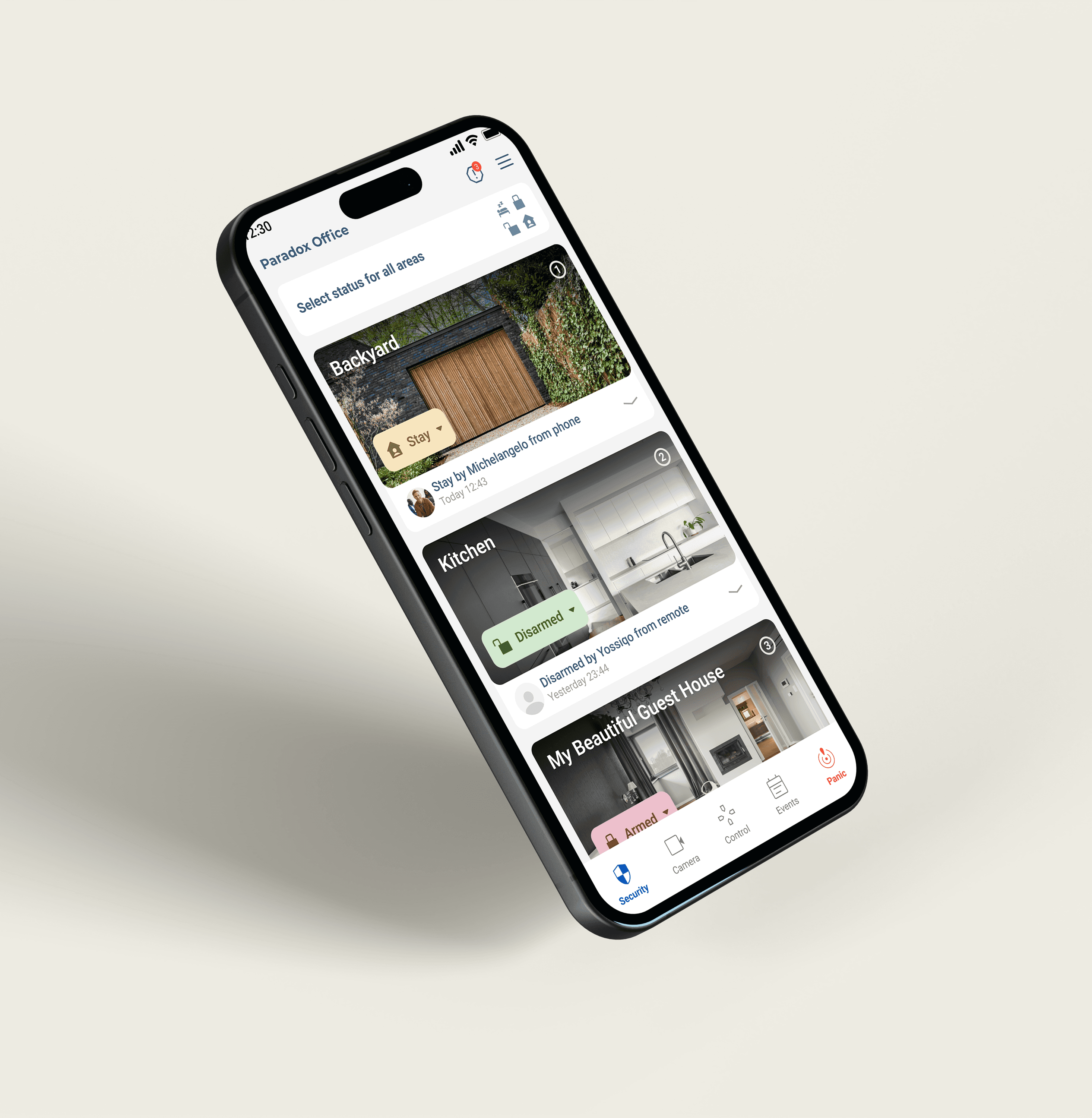
Blue Eye
Intelligent security hub that centralizes control of home safety systems into a single, intuitive interface. Designed for clarity and speed, it delivers real-time alerts, streamlined device management, and easy customization. With reliable automation and responsive design, BlueEye ensures users stay informed, secure, and in control—whether at home or away.
Platform
IOS / Android
Year
2023
Collaborators
Development, QA, Brand Design
The Challenge
The M Installer was intelligently streamlined to enhance efficiency, with the installation process organized into four clear stages: Setup, Device Pairing, Programming, and Testing. This structured approach minimizes complexity, reduces errors, and ensures a smooth workflow, allowing installers to move seamlessly from one step to the next while maintaining accuracy and speed throughout the project.
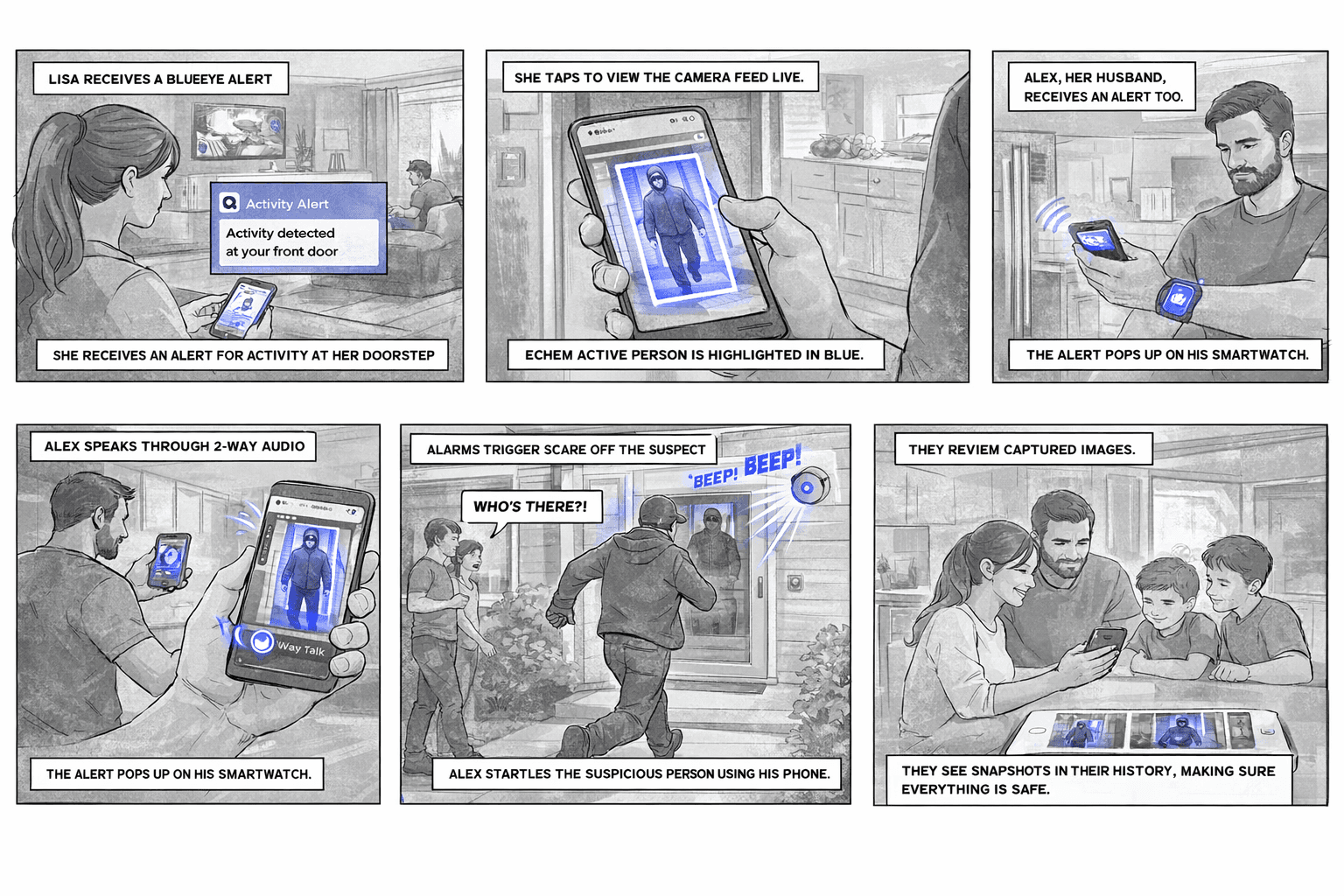
Checklist
Blue Eye mobile home security system, the user should first check the system status to confirm all sensors and devices are active. Next, they can arm the system in Stay or Sleep mode, or disarm it if needed. The user should then view camera feeds to verify the home visually, control lights as desired, and operate the garage, shutters, and curtains.
In case of emergencies, the panic mode should be triggered. Each step should be confirmed as complete, ensuring the system is properly monitored and the home remains secure at all times.
Research & Insights
Designing meant addressing one of the biggest frustrations users experienced in smart security systems: fragmented control across multiple features and devices.
Users had to navigate through separate sections to control alarms, automation, cameras, and access devices. Simple actions like unlocking a door, checking live footage, or turning off the alarm often required switching between multiple screens. During interviews and usability testing, many users reported feeling lost inside the app or forgetting where important actions were located.
Another recurring issue was the lack of clear system feedback. When arming or disarming the system, users were often unsure whether the action had successfully completed. Delayed responses and unclear status changes created hesitation and reduced trust in the system, especially during stressful moments.
To better understand user expectations, I analyzed smart home and security platforms focused on connected device ecosystems. The research explored how modern apps handle:
Unified device management
Quick access to critical actions
Real-time system feedback and confirmations
Navigation between multiple device categories
Visibility of active states and live events
These insights shaped a more centralized and predictable experience, where important actions became easier to access and system status remained visible and understandable at all times.

People from 24 to 40 years old, smart home & security users
Total: 71 answers
Data
70% of smart home users from Millennials and Gen Z reported wanting more intuitive and centralized control over their home security systems, while only a small percentage felt fully confident managing automation, cameras, and alarm settings independently.
References:
Parks Associates: “Smart Home Consumer Insights.” Parks Associates, 2023.
Statista: “Smart Home Technology Usage Among Millennials and Gen Z.” Statista Research Department, 2023.
Hypothesis
Providing accessible, intuitive, and personalized guidance within the Blue Eye app will increase user engagement with smart home and security features, as users will feel more confident managing alarms, cameras, automation, and connected devices independently.
Lives in Cape Town, South Africa
Homeowner and tech-savvy professional
Uses security and automation systems daily
Concerned about safety while working late or traveling
“Peace of mind is knowing my home listens and responds.”
Intuintive
Extrovert
Thinking
Judging
Observant
Introvert
Feeling
Prospecting
Goals:
Easily check and control home security from anywhere
Get instant alerts when zones are triggered or disarmed
Automate lighting and locks for daily routines and trips
Quickly arm or disarm zones without digging through menus
Wants a clean, reliable interface she can trust
Elena Koch

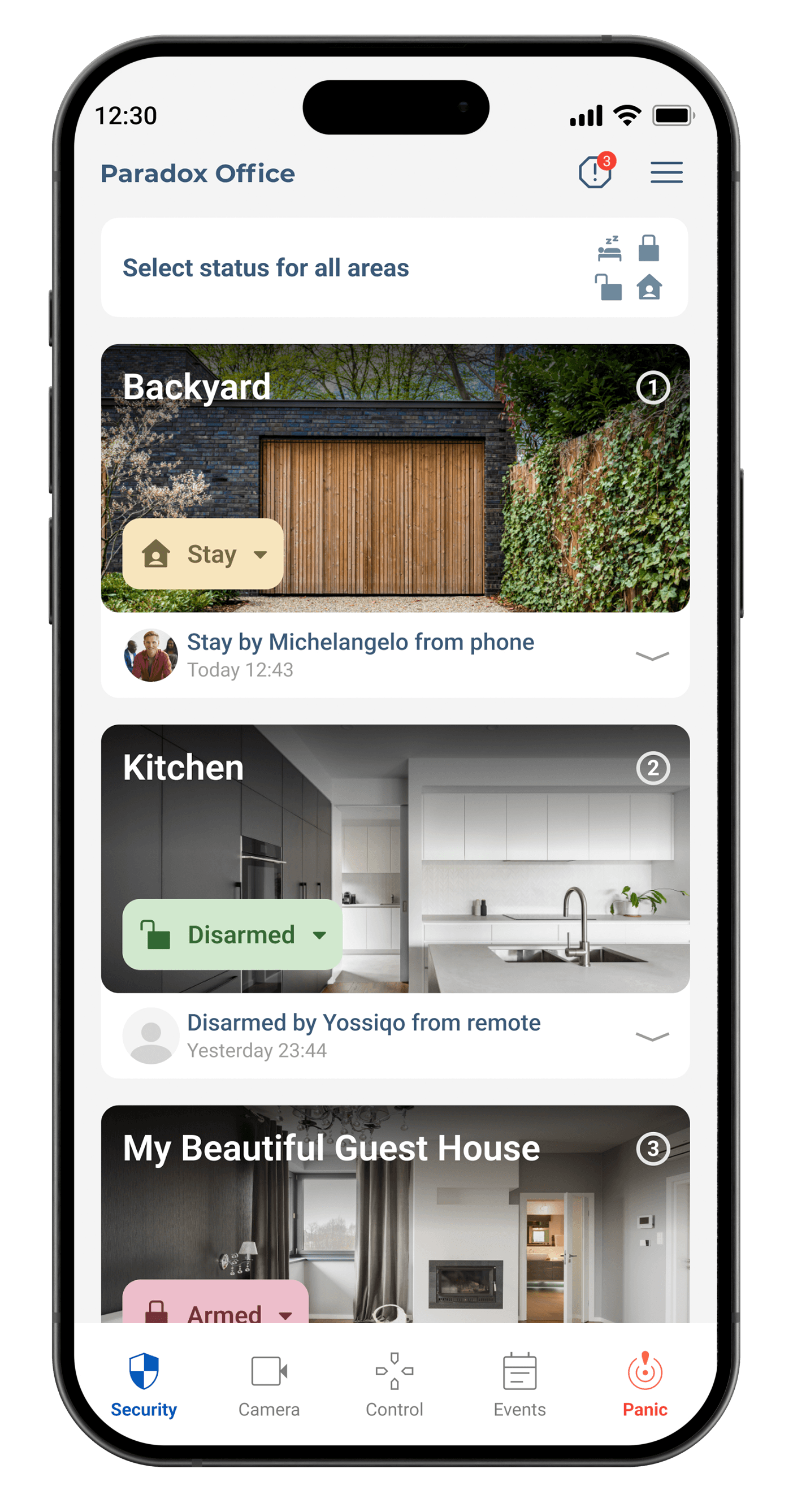
Home Screen
was designed to give users fast, centralized control over their security and smart home system. The interface prioritizes clarity, quick actions, and real-time system visibility, allowing users to arm alarms, access cameras, control automation, and monitor device status from one place. The layout focuses on reducing navigation complexity while making everyday interactions feel simple, responsive, and accessible for both experienced users and newcomers.
Main Screens
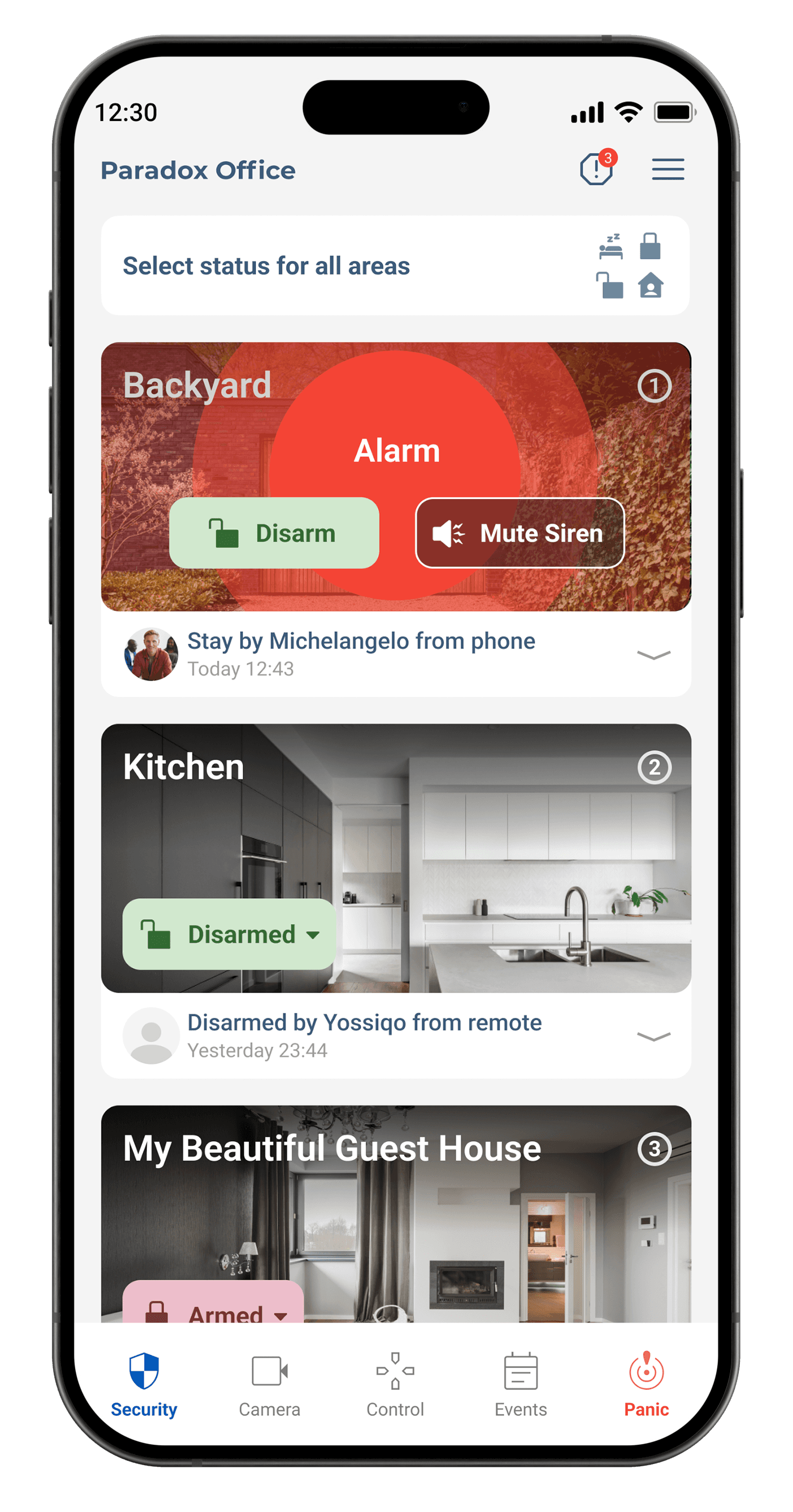
in Blue Eye were designed to simplify everyday interaction with home security and smart home systems. The Home Screen provides centralized access to alarms, cameras, automation, and device status through quick actions and real-time updates. The Camera Screen allows users to monitor live video feeds, review recordings, and quickly switch between devices. The Automation and Scenes screens help users create routines for lighting, locks, shutters, and security modes with minimal effort. Notification and Activity screens improve awareness by organizing alerts and system events clearly. The Settings and Device Management screens were structured to reduce complexity while giving users full control over connected devices, permissions, and preferences. Together, these screens create a more intuitive, responsive, and user-friendly smart home experience.
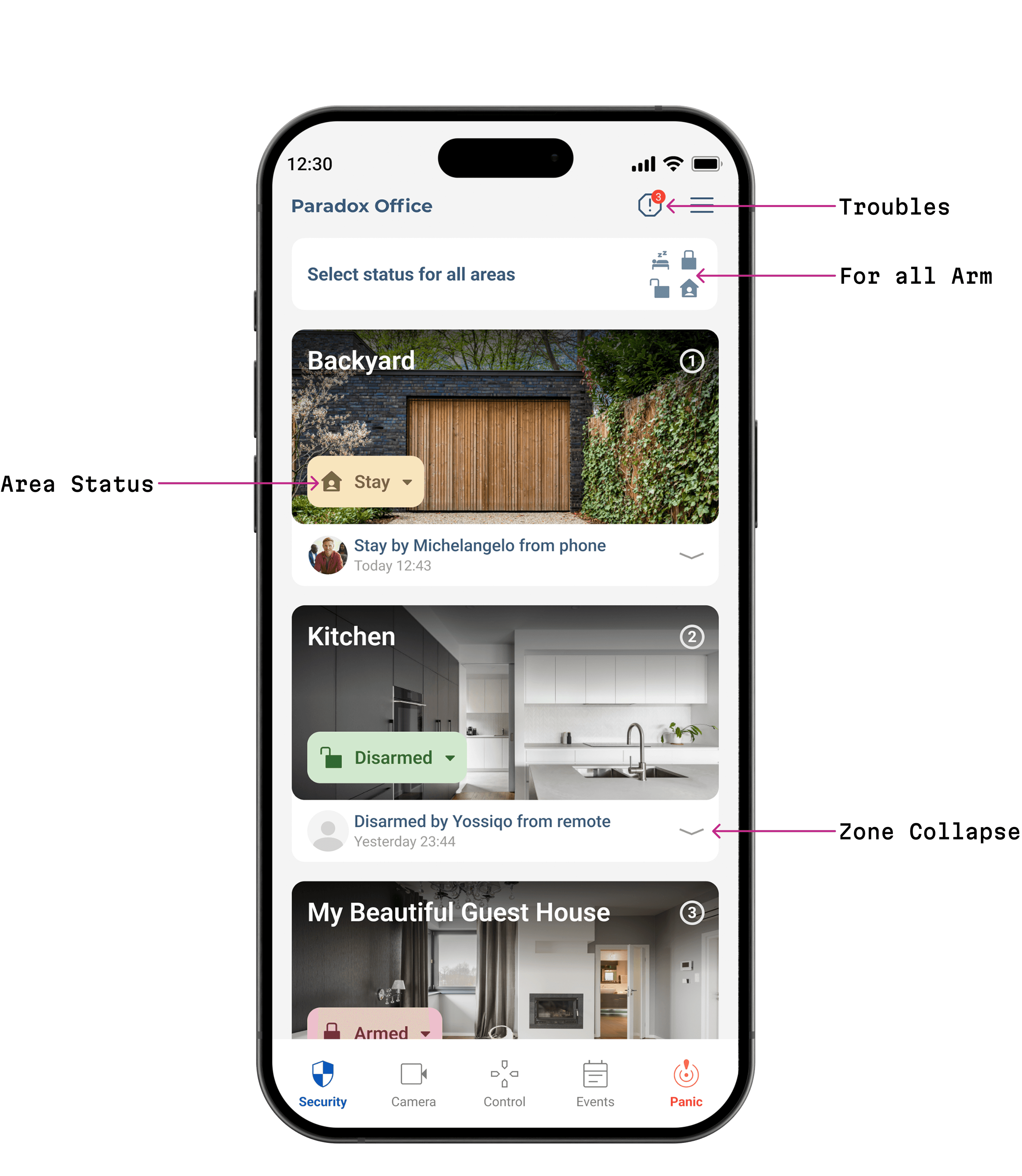
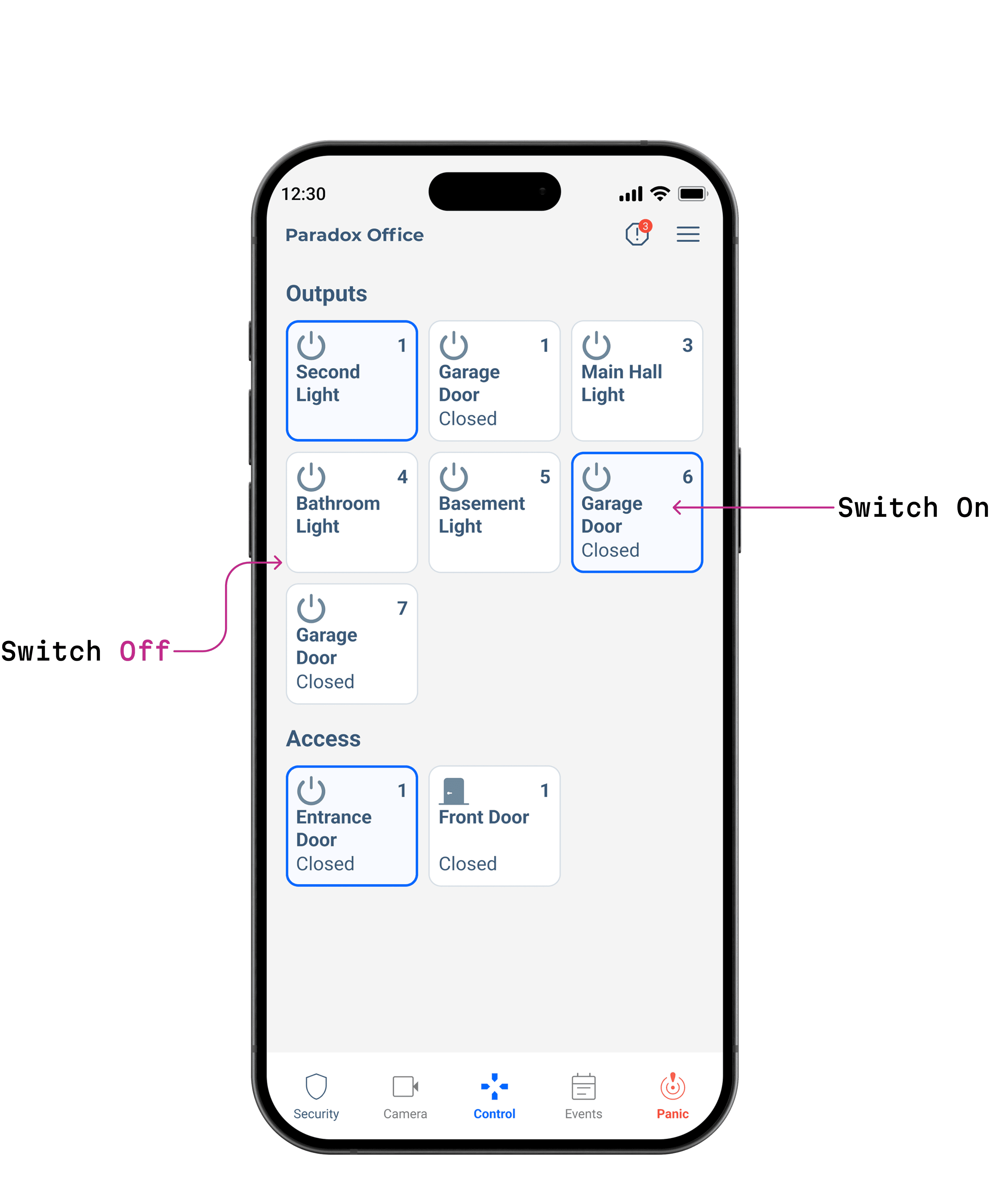
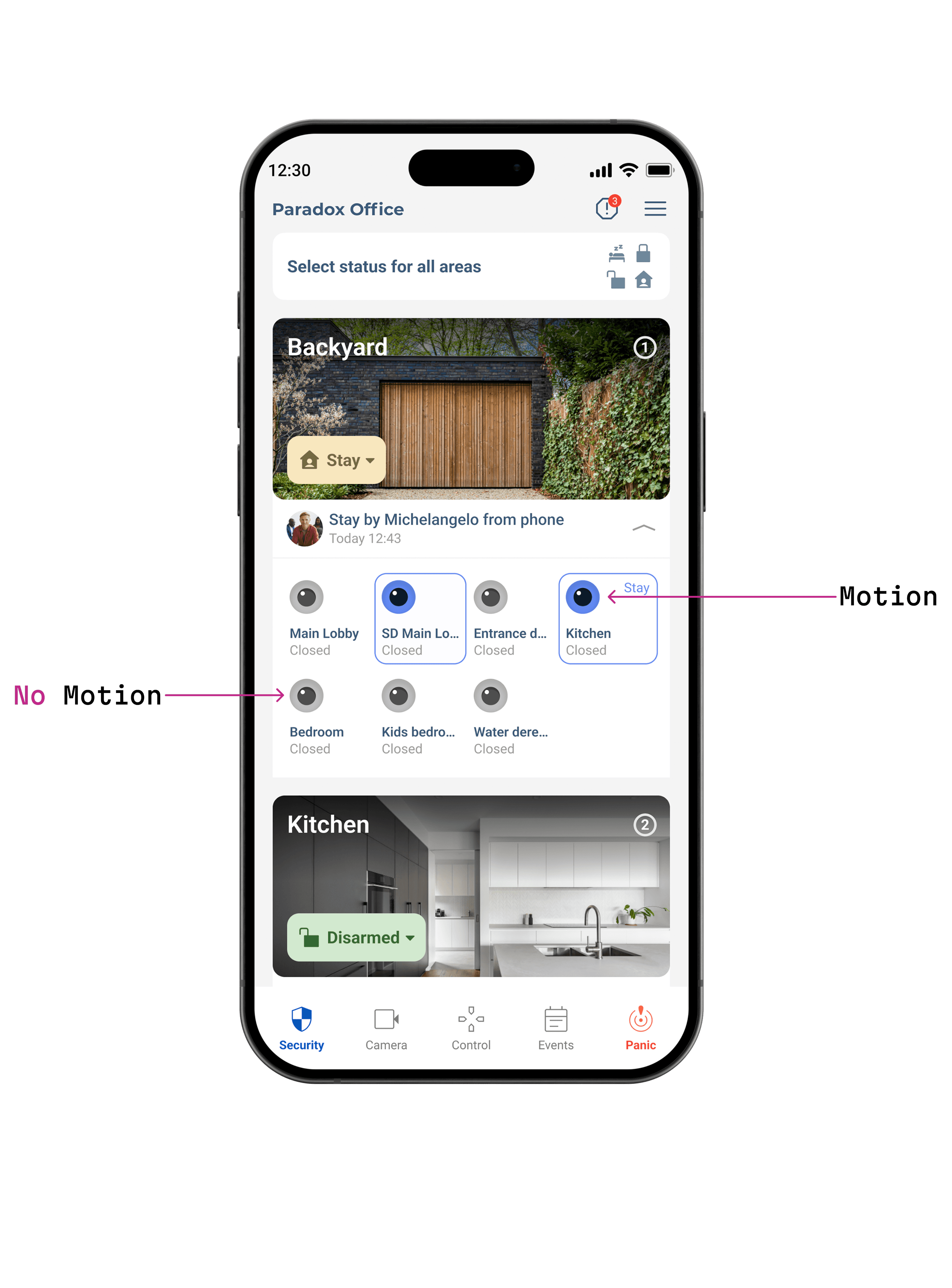
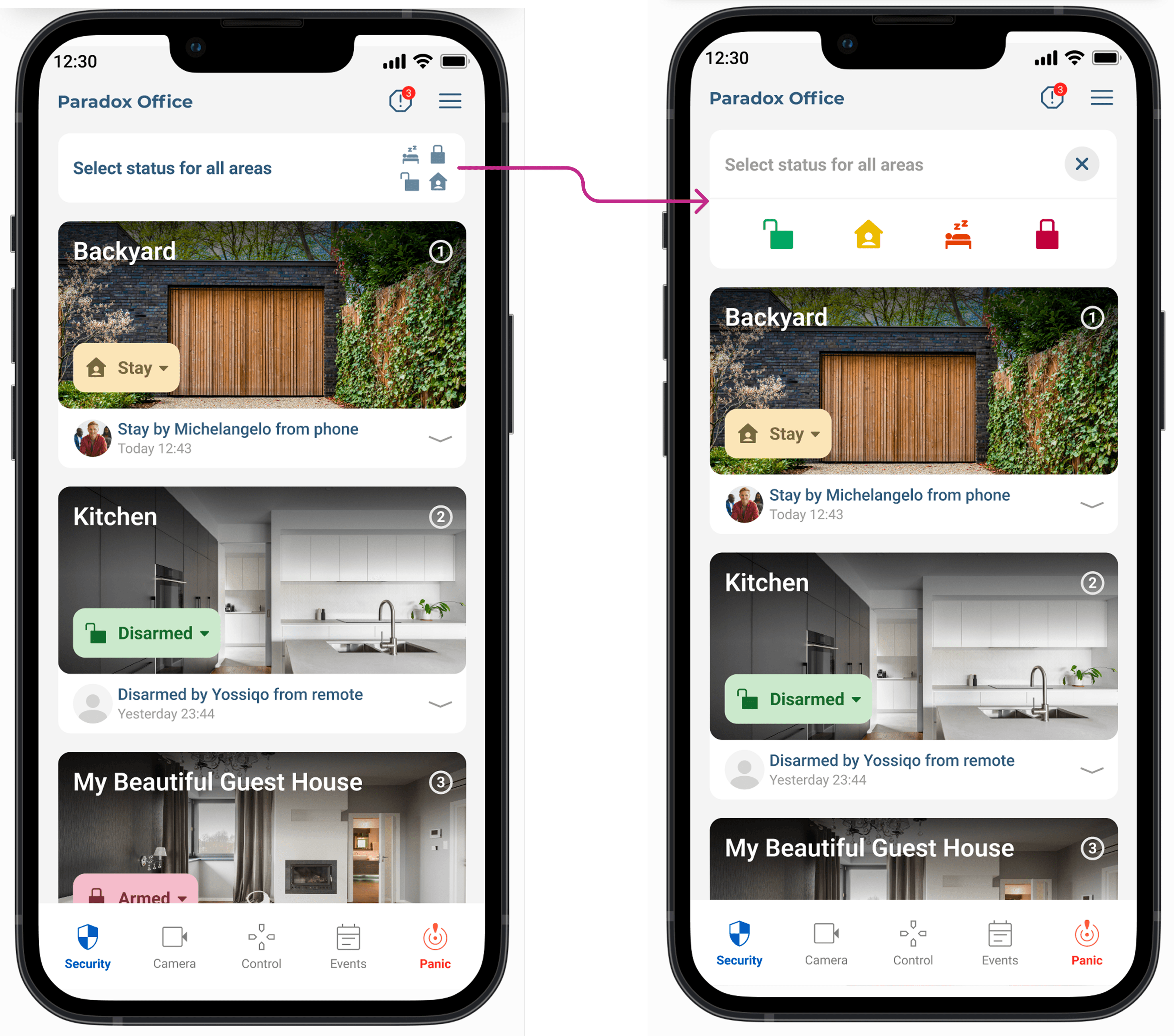
The Panic feature in Blue Eye provides users with instant emergency activation directly from the main interface. Designed for speed and visibility, it enables fast response during stressful situations with clear visual feedback and minimal interaction steps.
Summary
Blue Eye empowers users to monitor and control their home security effortlessly through a mobile app. Upon opening the app, users can quickly check system status to ensure all sensors, cameras, and connected devices are active. The system can be armed in Stay mode for when occupants are home, or Sleep mode for overnight protection, and disarmed as needed.
Users can also view live camera feeds, control lights, operate the garage, adjust shutters and curtains, and trigger panic mode in emergencies. Each action provides immediate confirmation, reducing uncertainty and building confidence in daily use.
The design focuses on simplicity and reliability, minimizing subjective inputs to ensure fast, intuitive interactions. By streamlining routine security tasks into a clear, step-by-step flow, Blue Eye enhances user experience while maintaining full home protection, demonstrating the impact of thoughtful, user-centered design in smart home systems.