Blue Eye.
Intelligent security hub that centralises control of home safety systems into a single, intuitive interface.
Role
Product Designer
Platform
iOS / Android
Stack
Figma, Adobe
Timeline
2 years, shipped

One checklist for the whole home.

Research & Insights
01
Fragmented control
Alarms, automation, cameras and access lived in separate sections — unlocking a door or checking footage meant switching screens.
02
Unclear feedback
Arming or disarming left users unsure whether the action completed. Delayed responses reduced trust in stressful moments.
03
Lost inside the app
In testing, users forgot where important actions lived. Critical controls had to become predictable and always visible.
Hypothesis
Accessible, personalised guidance inside the app will increase engagement with security features, because users feel confident managing alarms, cameras, automation and connected devices independently.
70%
of Millennial and Gen Z smart home users want more intuitive, centralised control over home security — only a small share feel confident managing automation, cameras and alarm settings on their own.
Parks Associates, Smart Home Consumer Insights, 2023 · Statista Research Department, 2023.
Area Statuses


Action

Not action

The safest home is the one that's always aware.
Area statuses UX breakpoint
Explicit transitions
High-risk changes like arming get confirmation steps; an activity log of recent state changes reinforces trust.
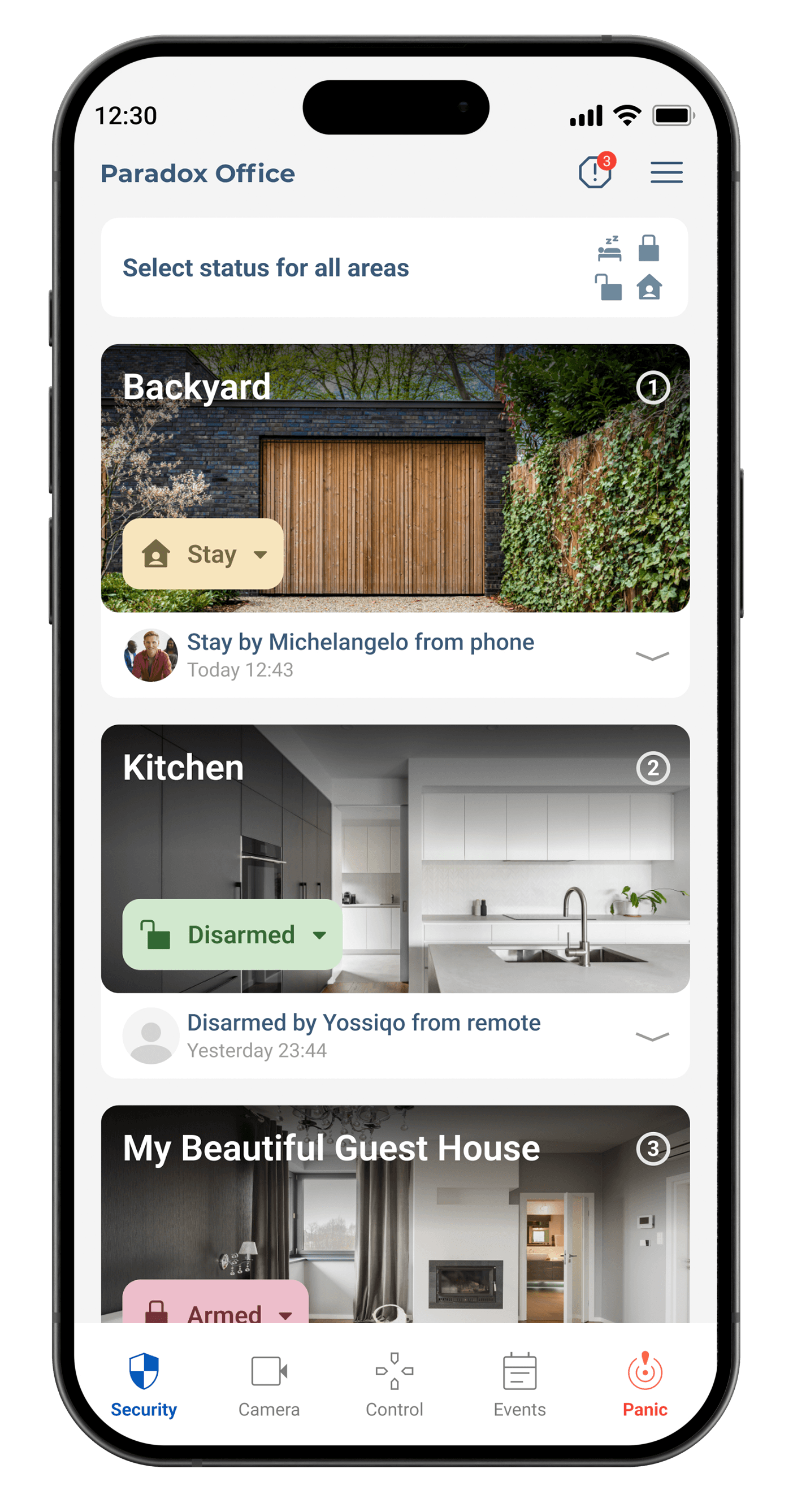
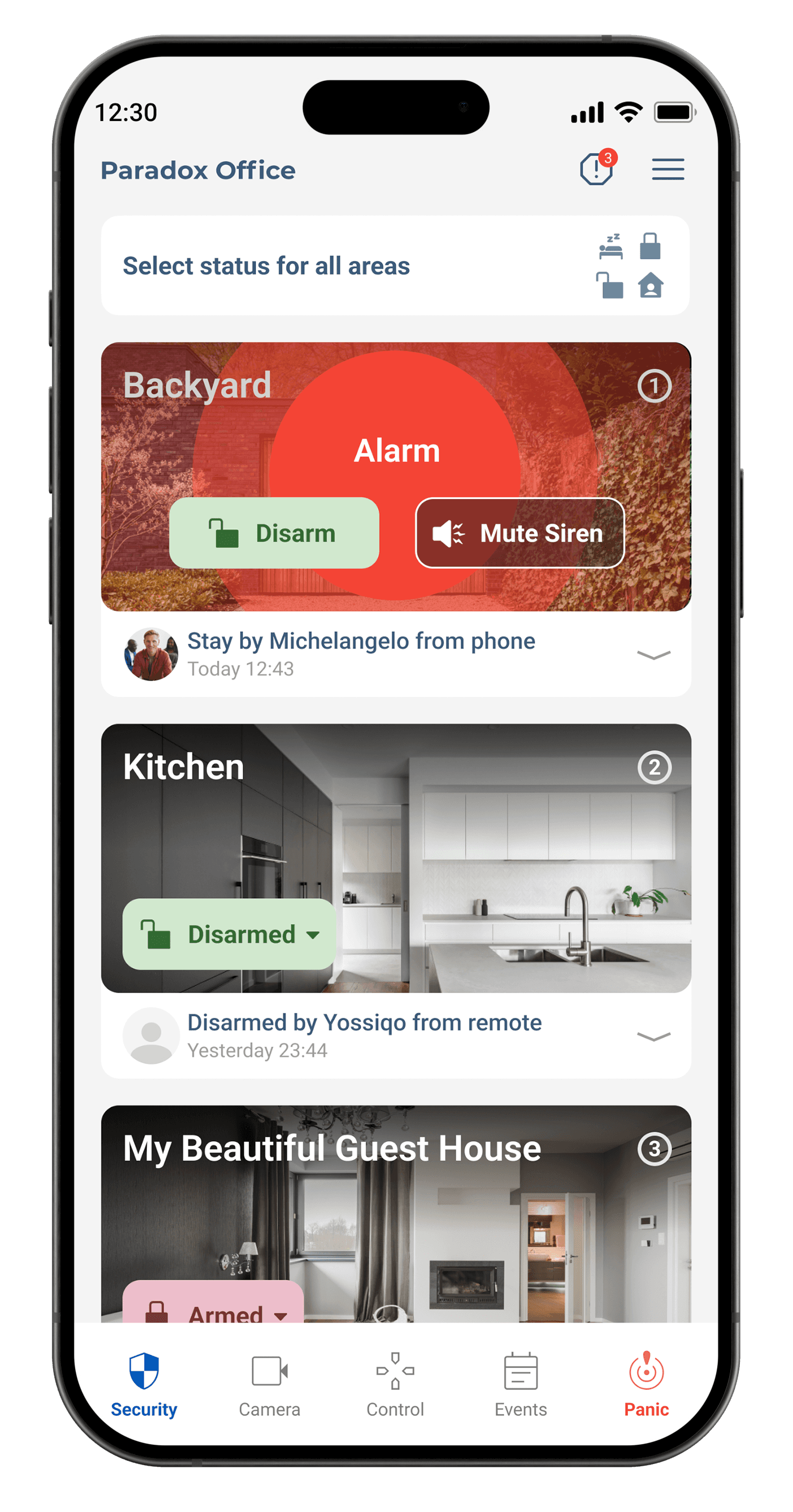
Consistent colour
Green for Disarm, red for Arm, amber for Stay, muted blue for Sleep — with redundant text labels and haptics for accessibility.
Zones
Old zones The original Zone Eyes concept used realistic eye-shaped icons to represent security zones — a strong feeling of being watched and protected. User feedback showed the metaphor could also feel intimidating and create unnecessary anxiety.


Alarm

Camera

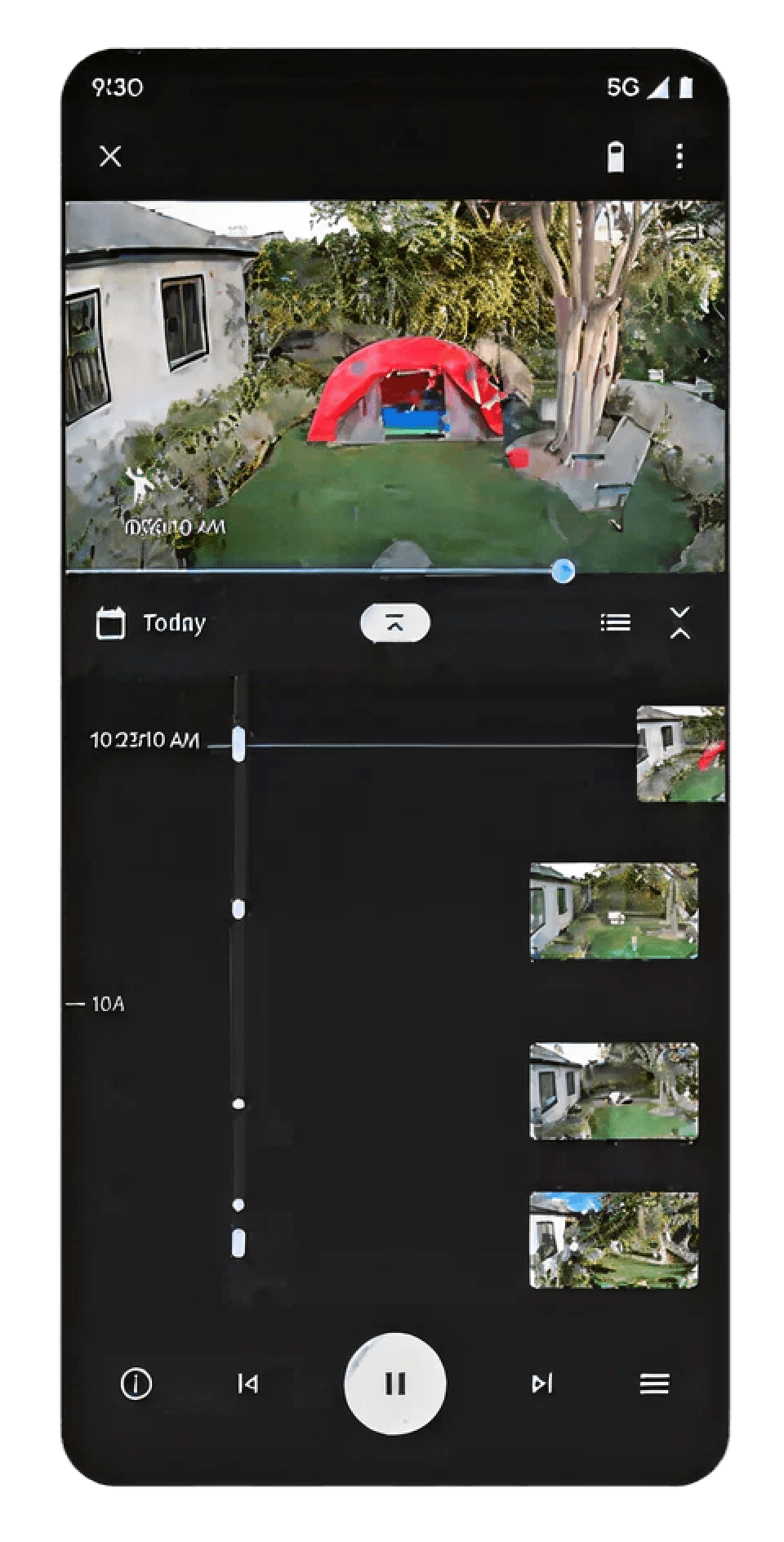

Snapshots
A JPEG snapshot every 30 seconds, stored on the SD card and in the cloud, populates the visual timeline preview.
Events
Motion, intrusion, alarm and door-open events appear as highlighted blocks; tapping one loads the matching clip.
Storage logic
With a cloud subscription video plays instantly; on SD card only the snapshot marker shows and the clip is fetched on demand with a loading state.


Final version for development
 Camera List
All connected cameras with status, names and instant access to live streams.
Camera List
All connected cameras with status, names and instant access to live streams.
 Live
Real-time monitoring with instant video, camera switching and clear status indicators.
Live
Real-time monitoring with instant video, camera switching and clear status indicators.
 Timeline
Event markers, timestamps and playback controls make review faster and more precise.
Timeline
Event markers, timestamps and playback controls make review faster and more precise.
 Event
Motion, fire alerts, recordings and incidents surfaced through clear indicators.
Event
Motion, fire alerts, recordings and incidents surfaced through clear indicators.
Overlapping events

Optional horizontal events — a stacked timeline separating overlapping markers.
Final solution — chronologically accurate, touch-friendly, easy to distinguish.
Summary
2
Work years
100+
Screens
+2000
New customers