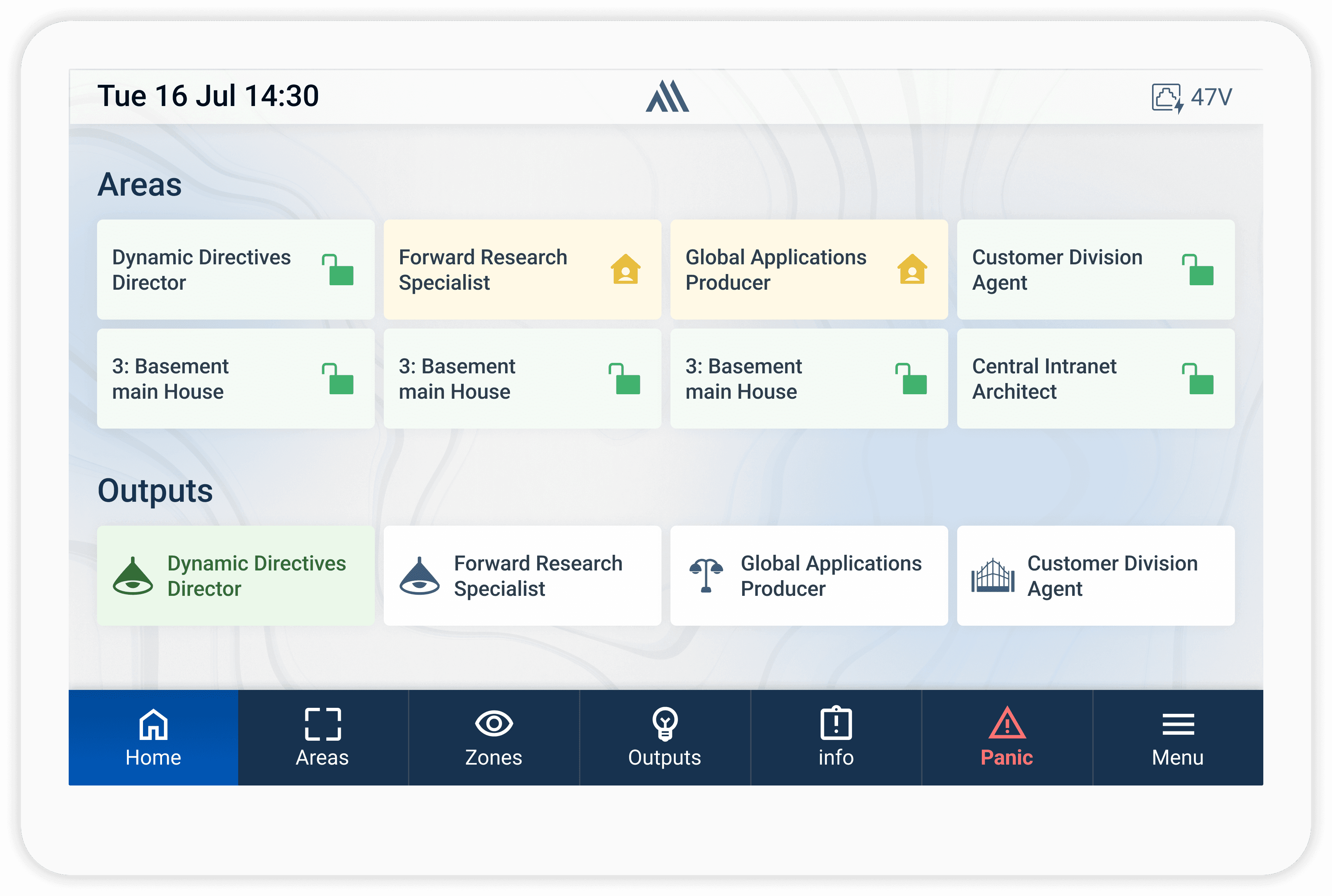
Keypad
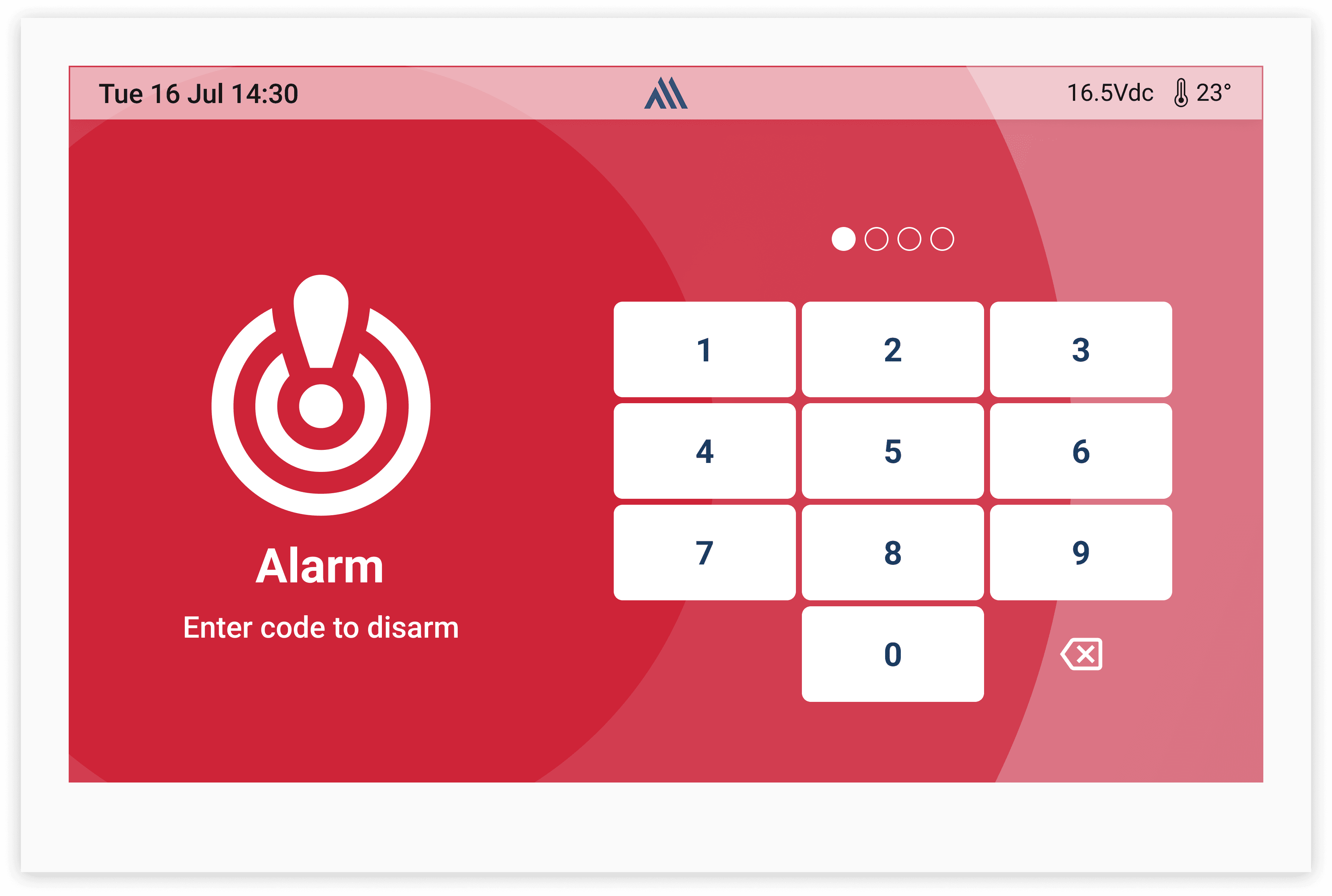
experience in was designed to provide fast and familiar access to core security actions such as arming, disarming, and emergency controls. The goal was creating an interface that feels reliable and easy to use during high-pressure situations. Special attention was given to button hierarchy, visual feedback, accessibility, and quick response times, ensuring users could confidently interact with the system while immediately understanding its current state and action confirmations.
Platform
TouchGFX
Year
2025
Collaborators
Development, QA
The Challenge
How might we design a smart keypad that lets everyday users manage their home security, lighting, and access—without needing a mobile app?
I was provided the following needs and constraints:
Must support core arming modes: Stay, Away, Sleep, and Disarm
Users should be able to control lights and scenes directly from the keypad
Should allow access control—adding or removing users and PINs
Needs to support zone management (bypass, check sensor status)
Interface must feel simple, fast, and friendly for all user types—tech-savvy or not
User interviews conducted.
Consistency maintained across product screens.
Reduction in development rework
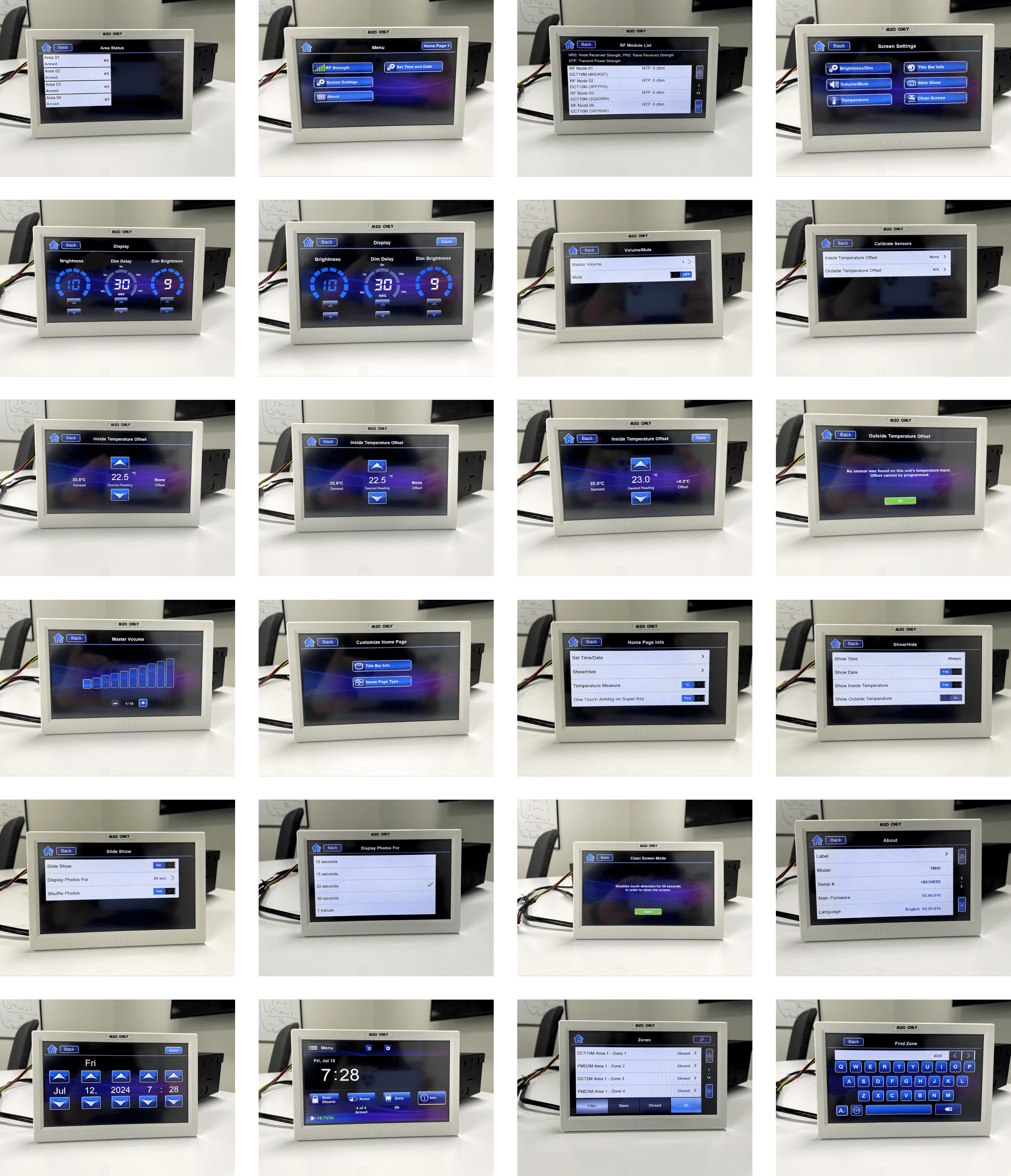
Old Keypad
design in presented several usability challenges that affected speed and clarity during critical interactions. Users often struggled with crowded layouts, unclear button hierarchy, and inconsistent visual feedback when performing actions such as arming or disarming the system.
Important controls were difficult to distinguish, and system states were not always immediately understandable, especially during stressful situations or low-visibility conditions. The experience also felt visually outdated compared to modern smart home applications, creating a disconnect between the physical security system and the digital interface.
These issues highlighted the need for a cleaner, more intuitive, and more responsive keypad experience.
Color Palette
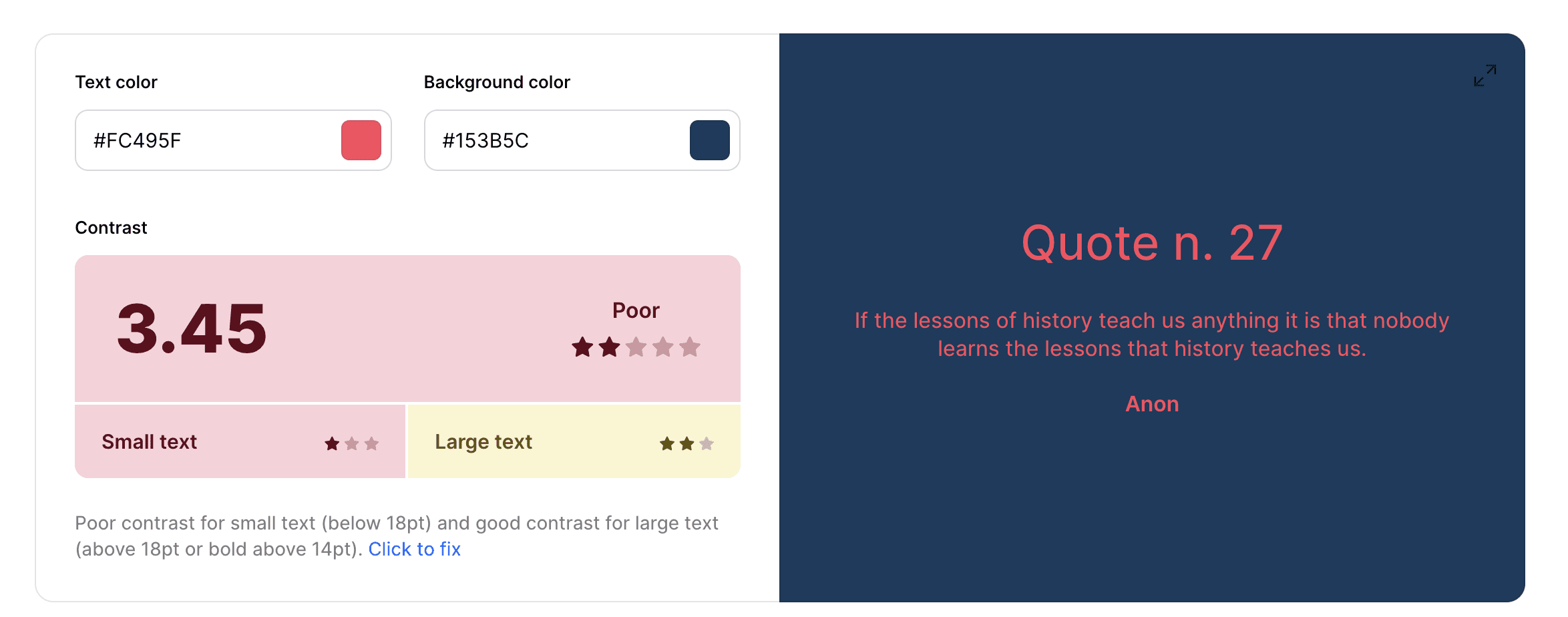
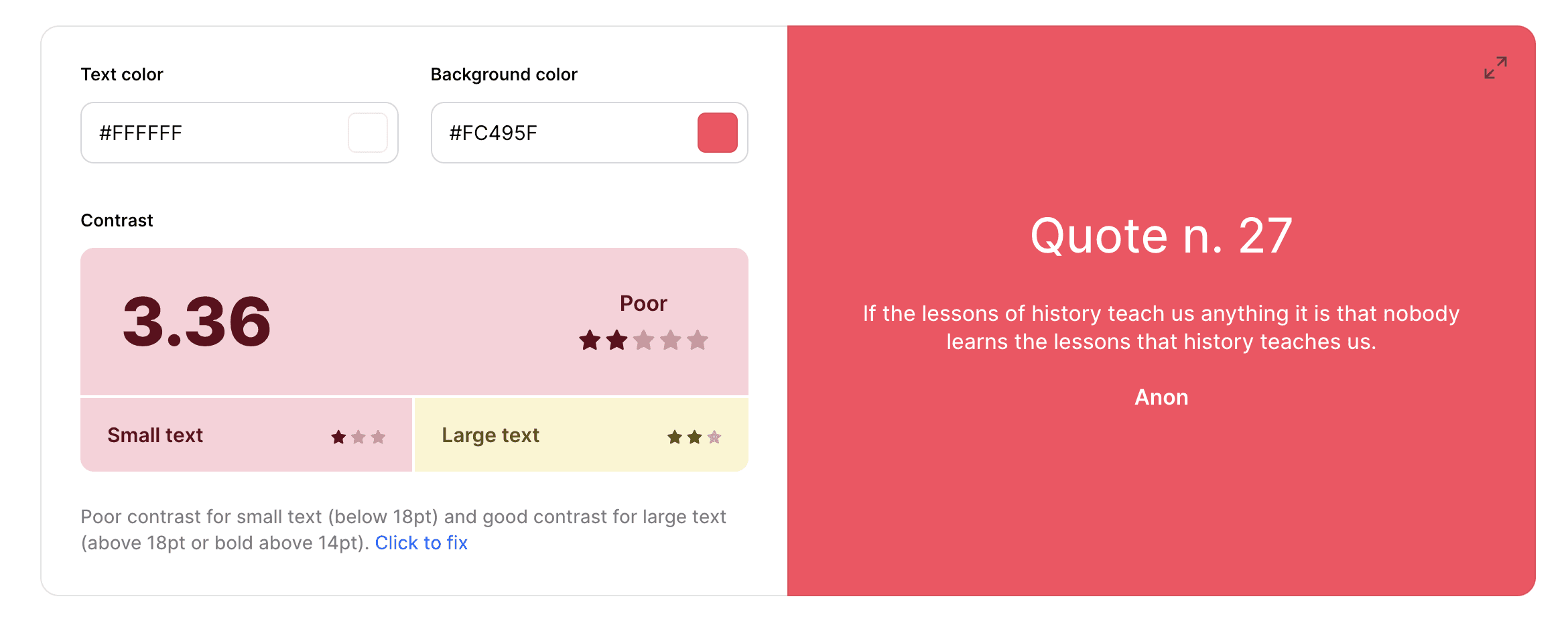
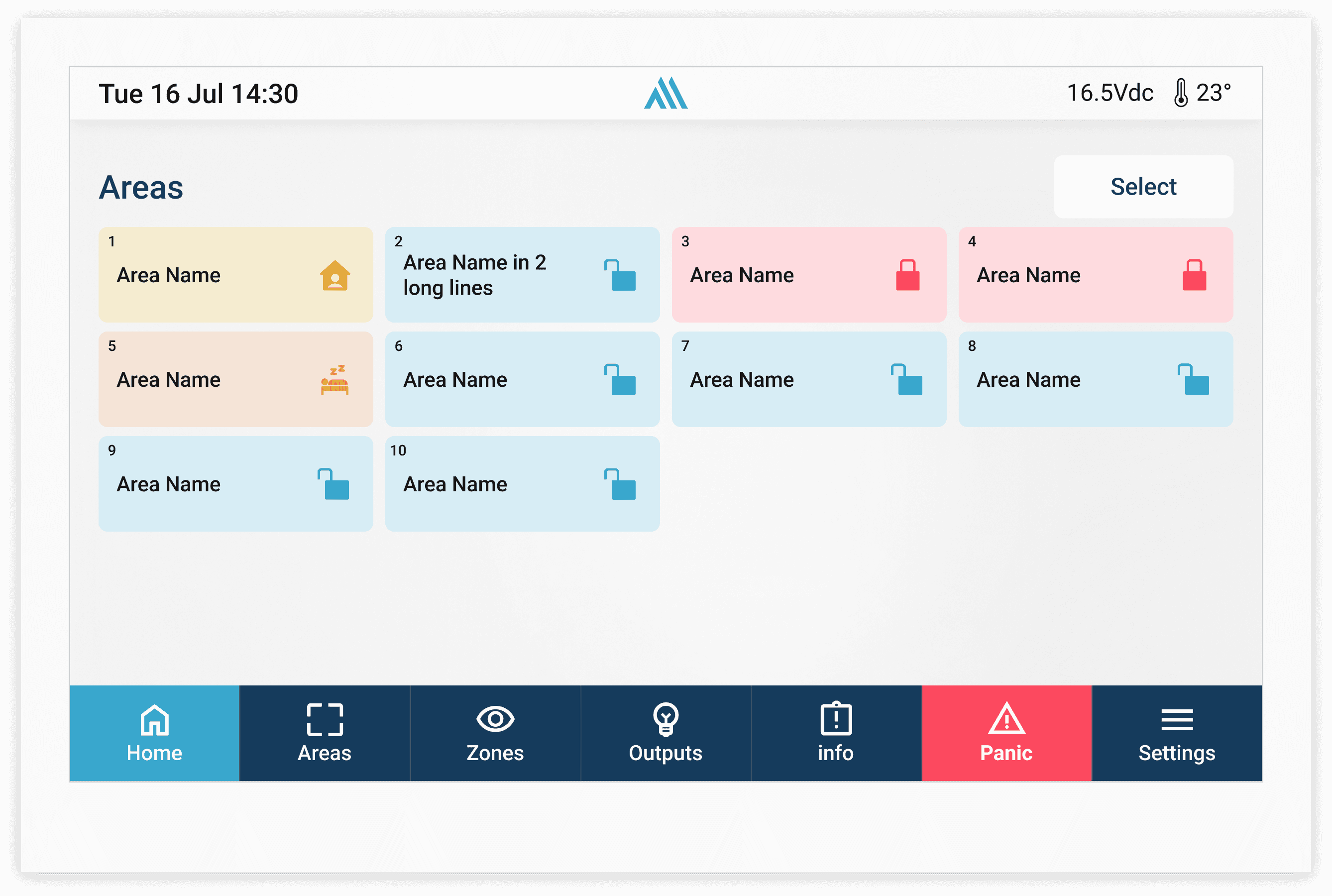
combines a deep navy background with a vibrant coral accent, creating a bold and modern visual identity. The dark blue provides a sense of stability, security, and professionalism, while the bright coral introduces energy, visibility, and strong visual focus. This contrast helps highlight important actions, notifications, and interactive elements within the interface.
The palette was designed to feel contemporary and distinctive while maintaining a clean and minimal aesthetic. However, accessibility testing revealed contrast limitations for smaller text sizes, especially when using coral on dark backgrounds or white text on coral surfaces. These insights helped guide future refinements toward better readability and more accessible visual communication.
Wireframes & Design
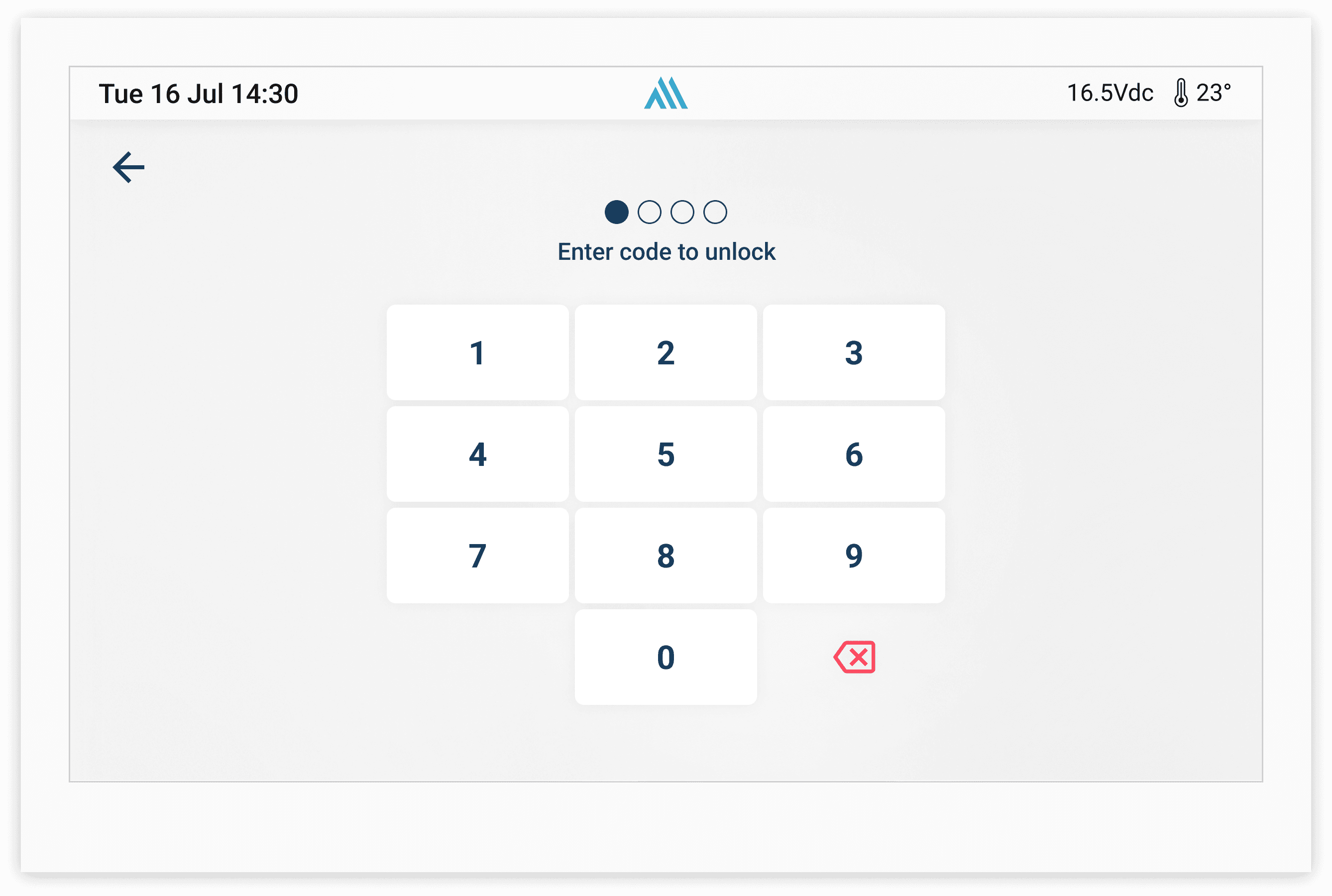
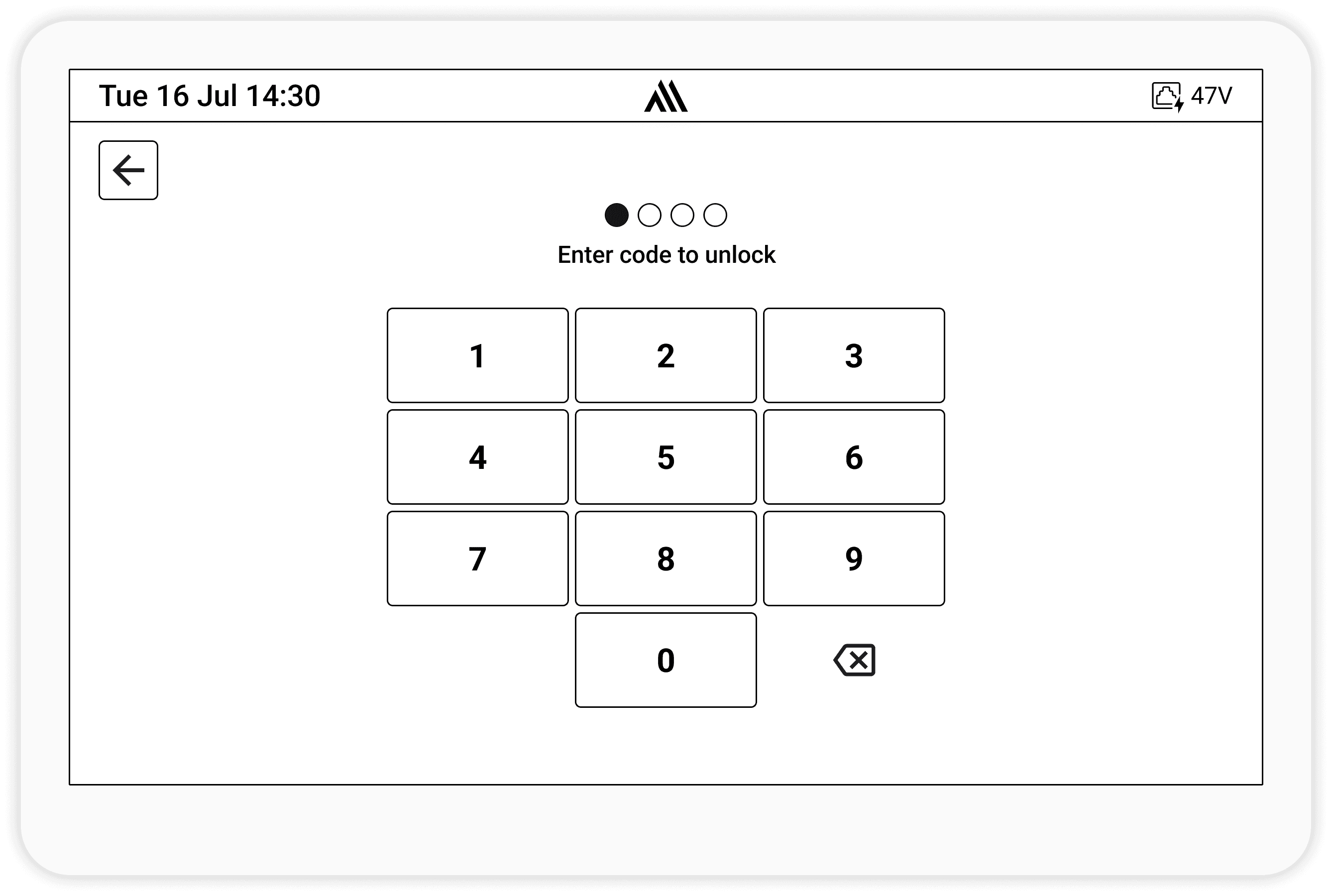
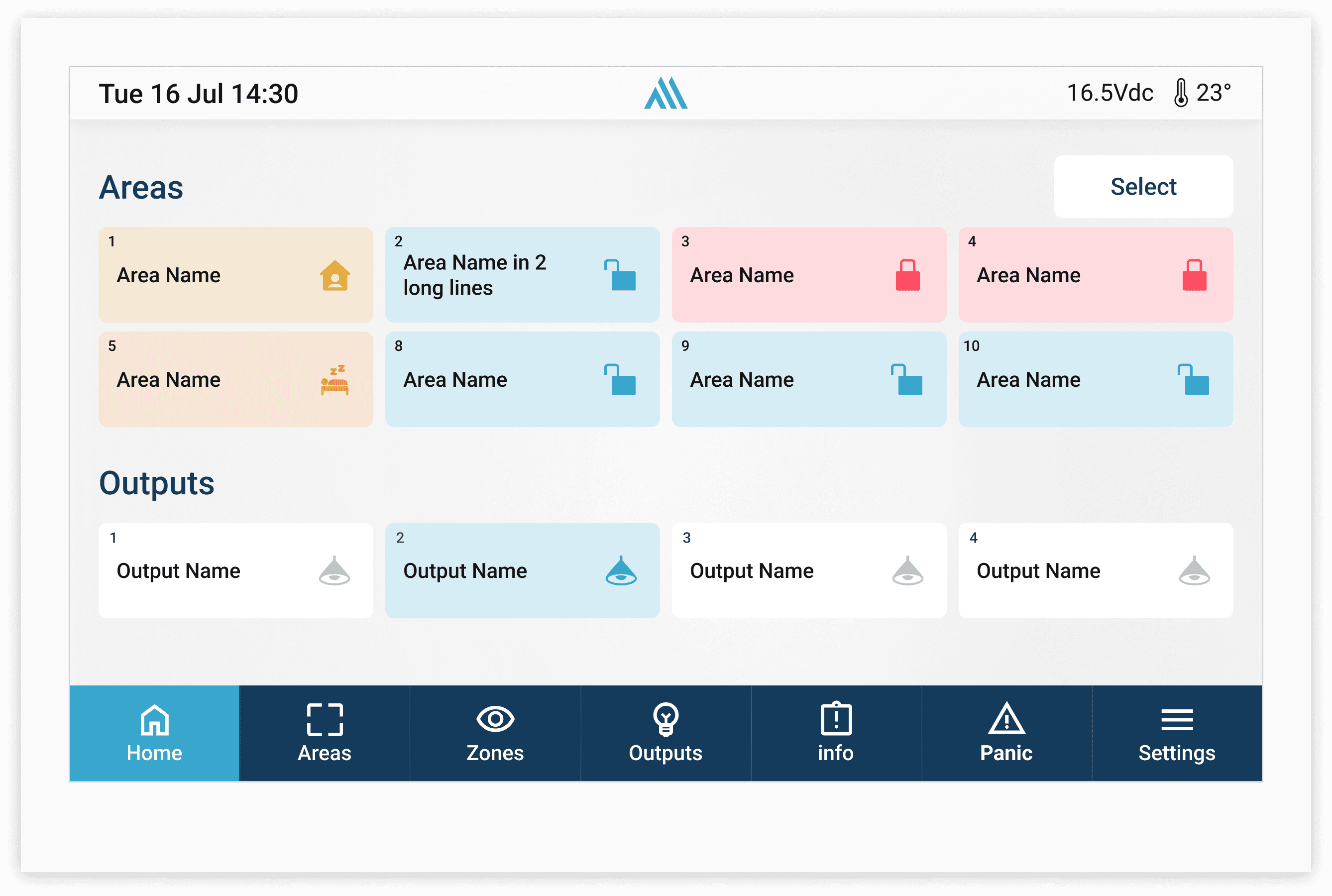
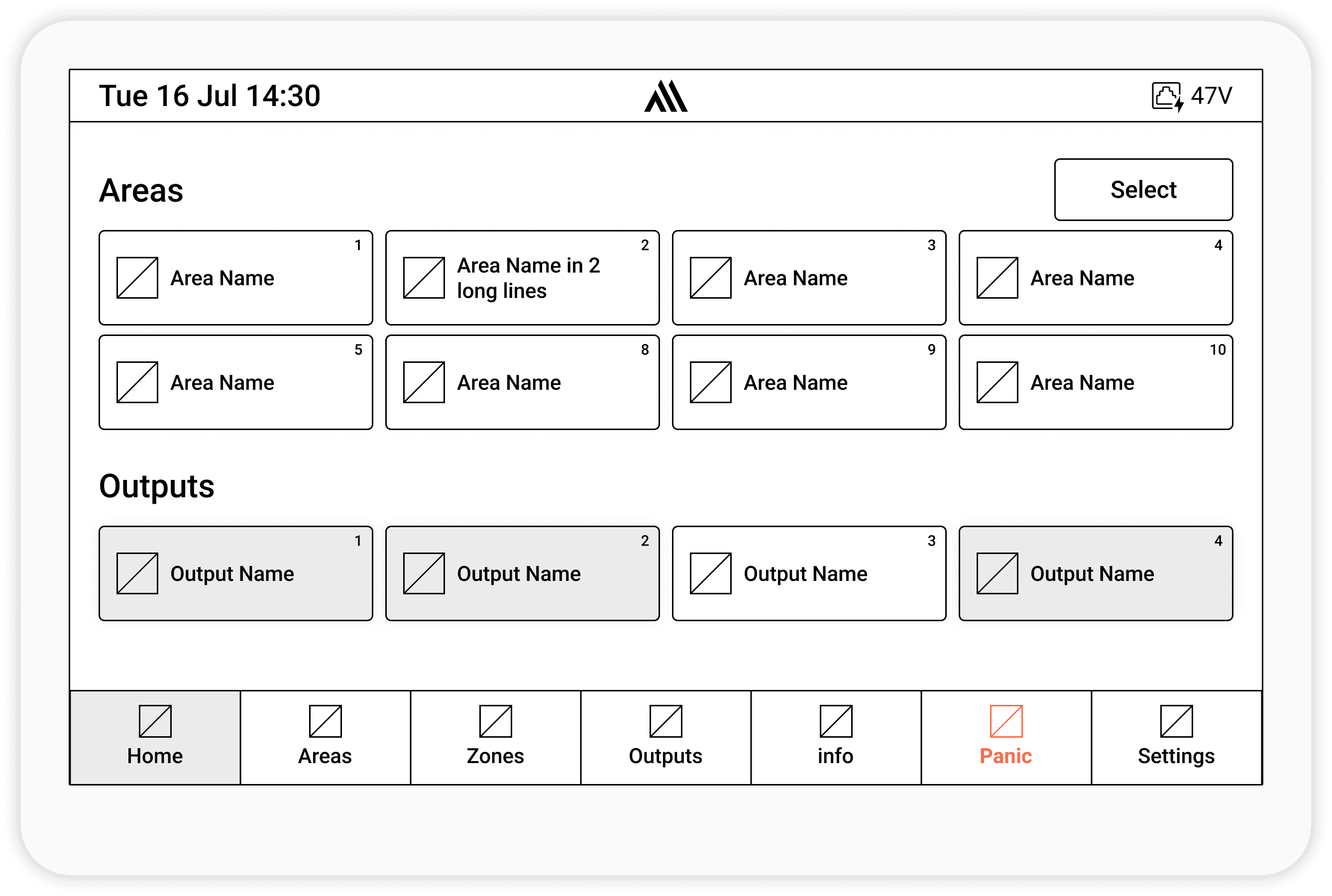
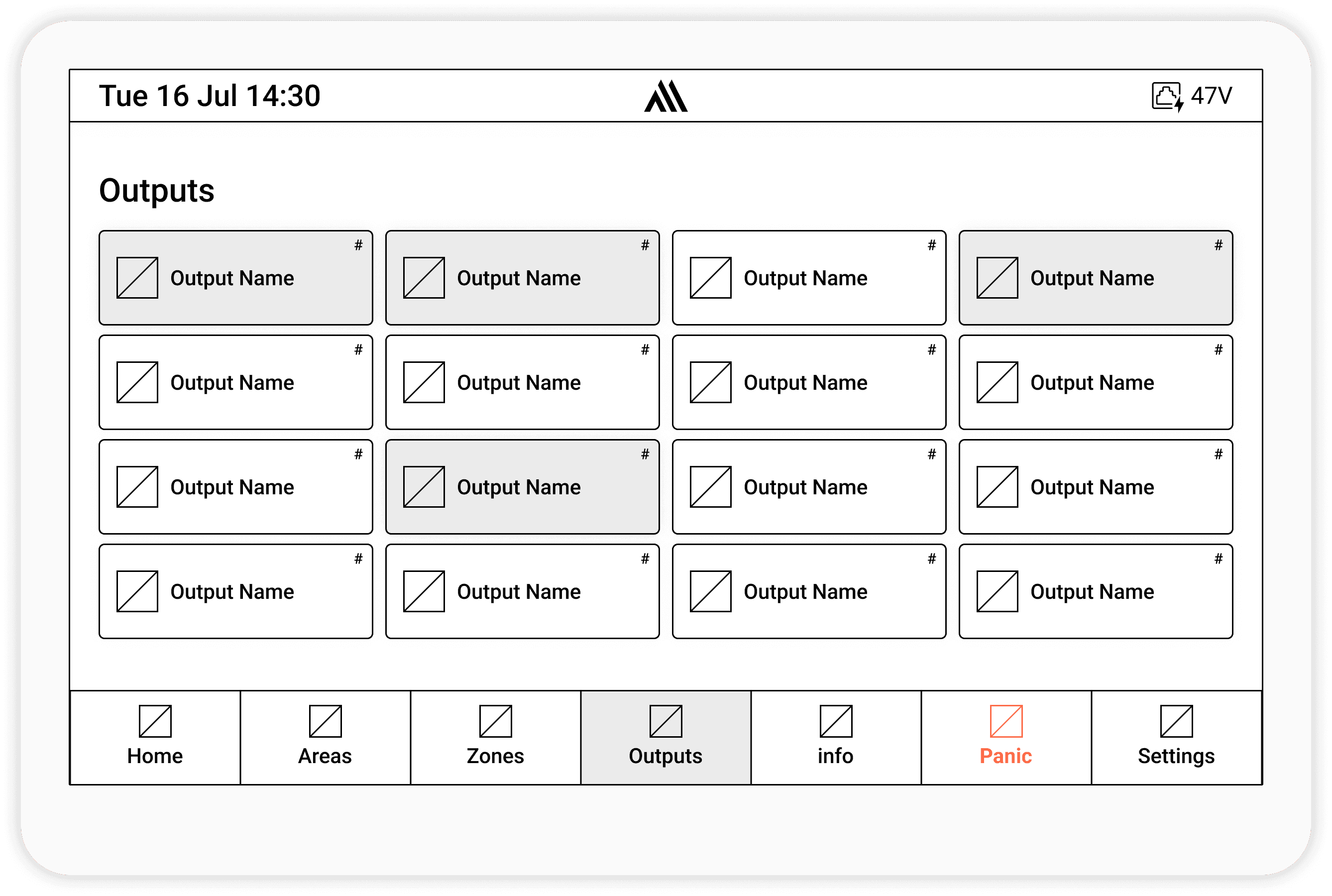
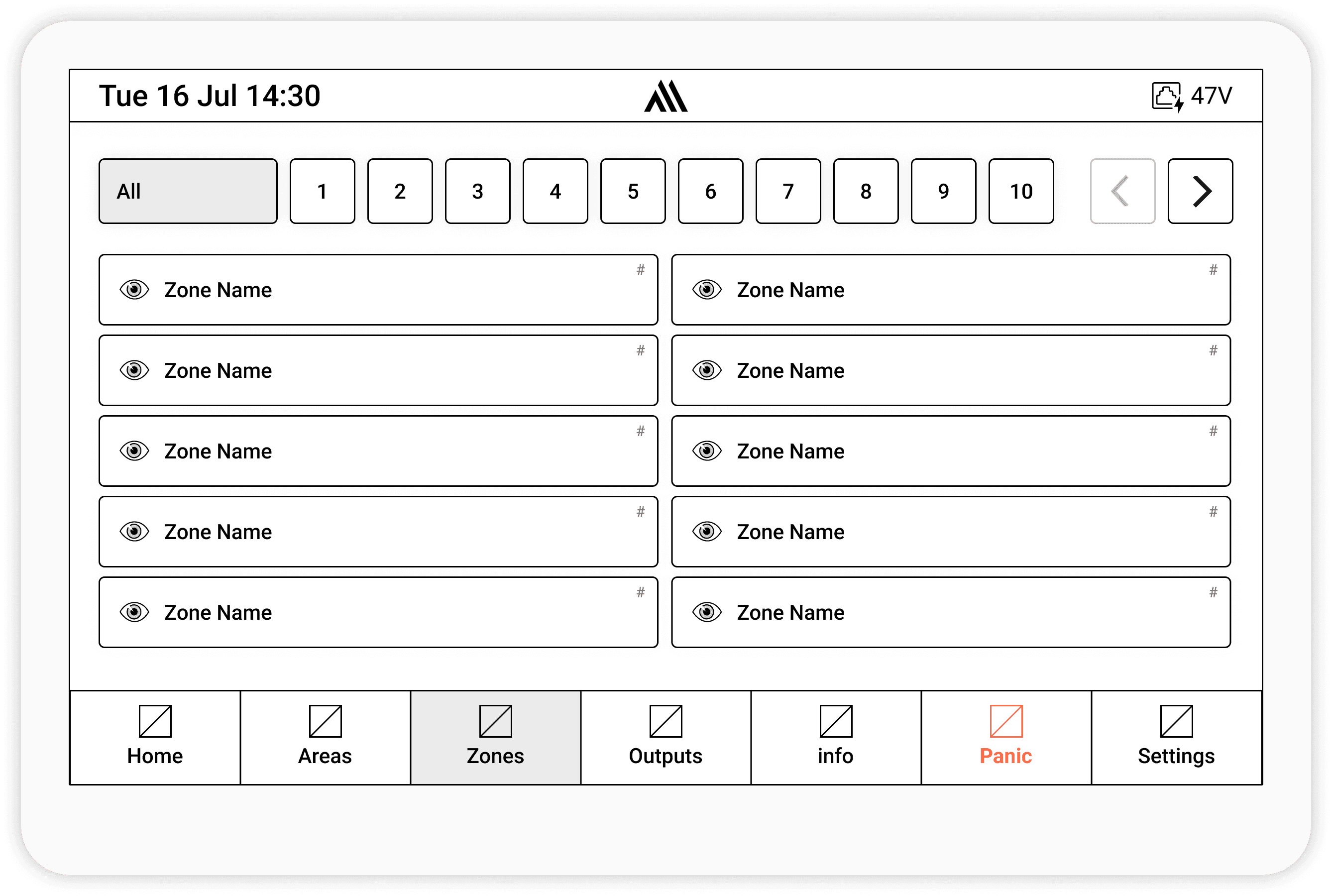
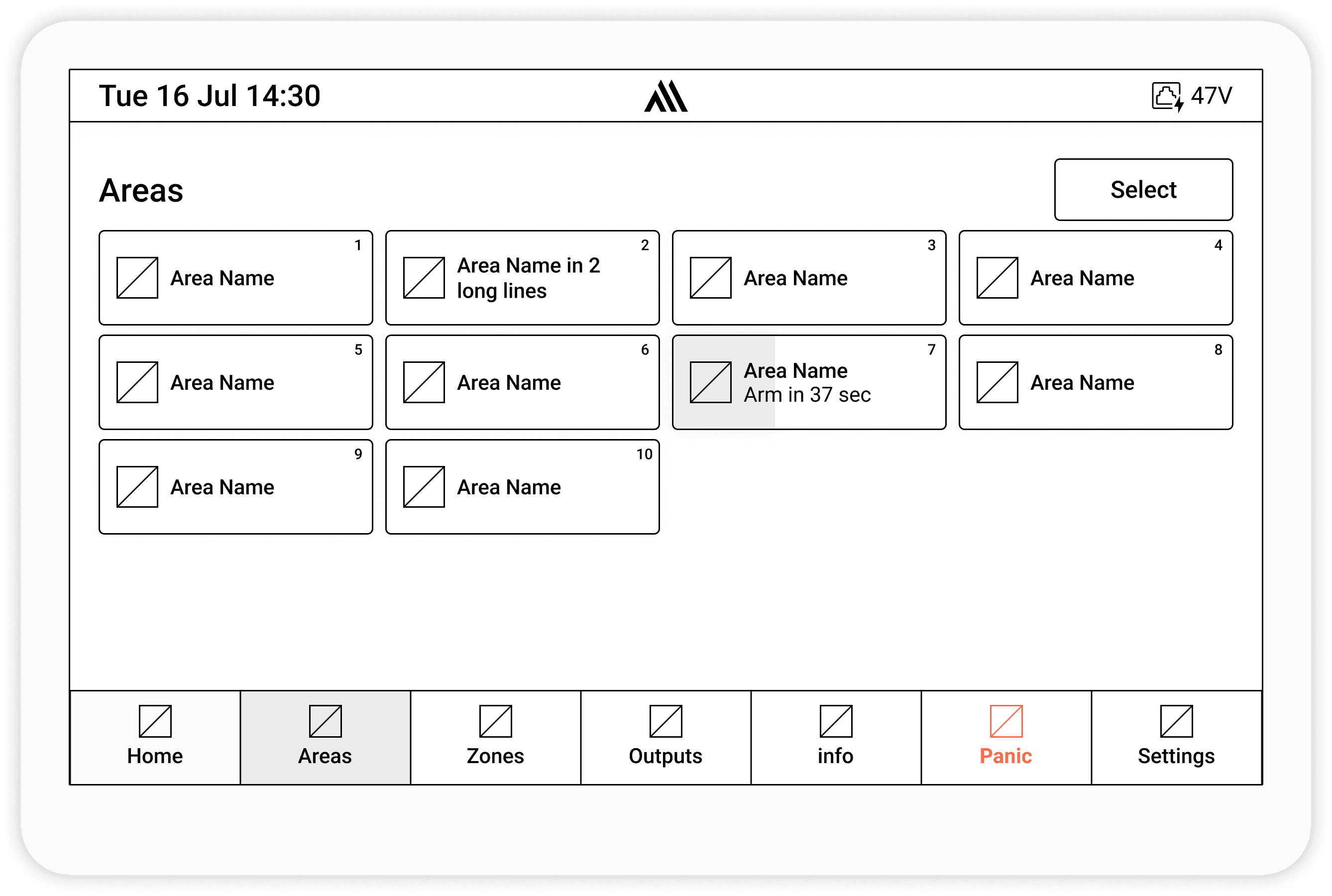
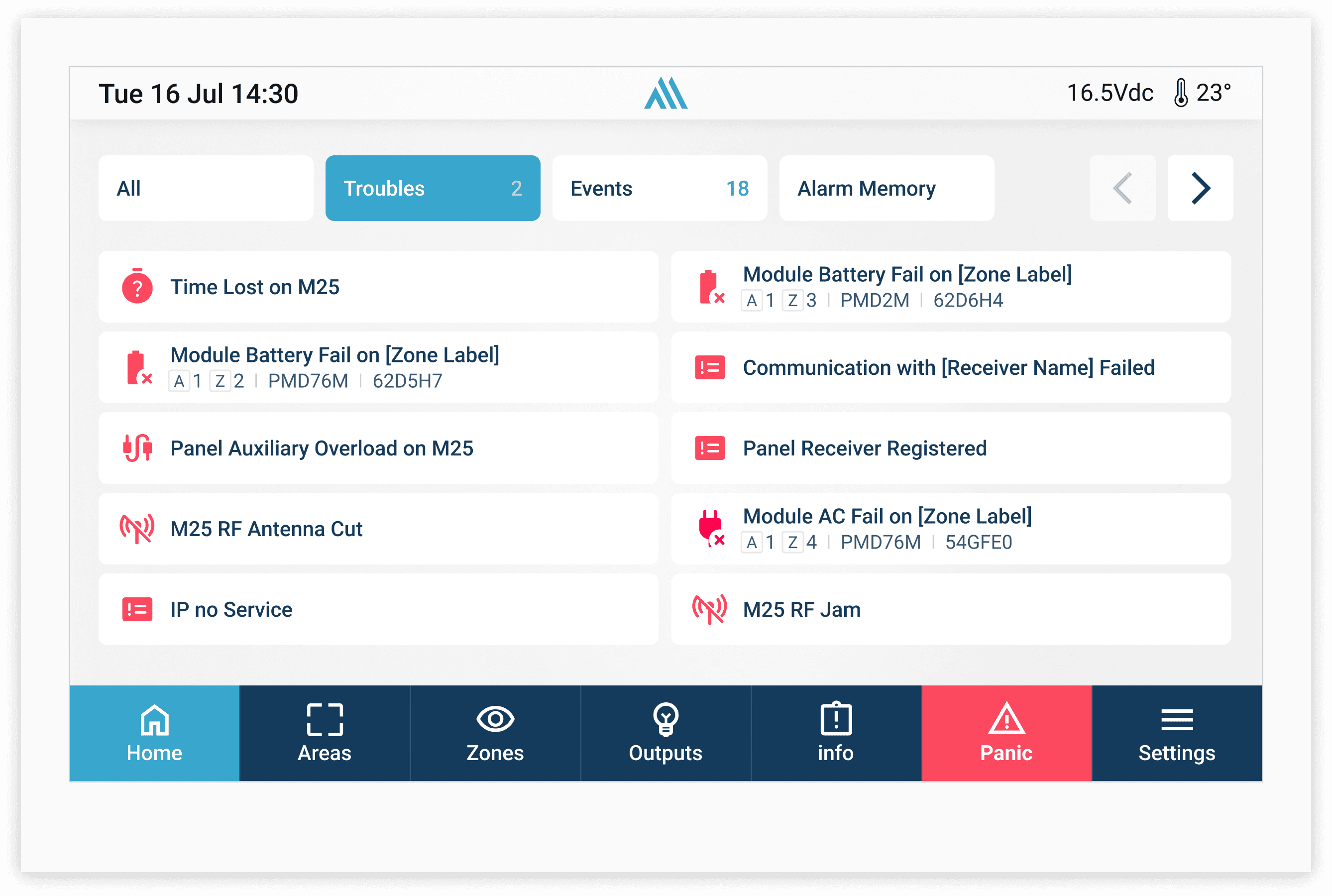
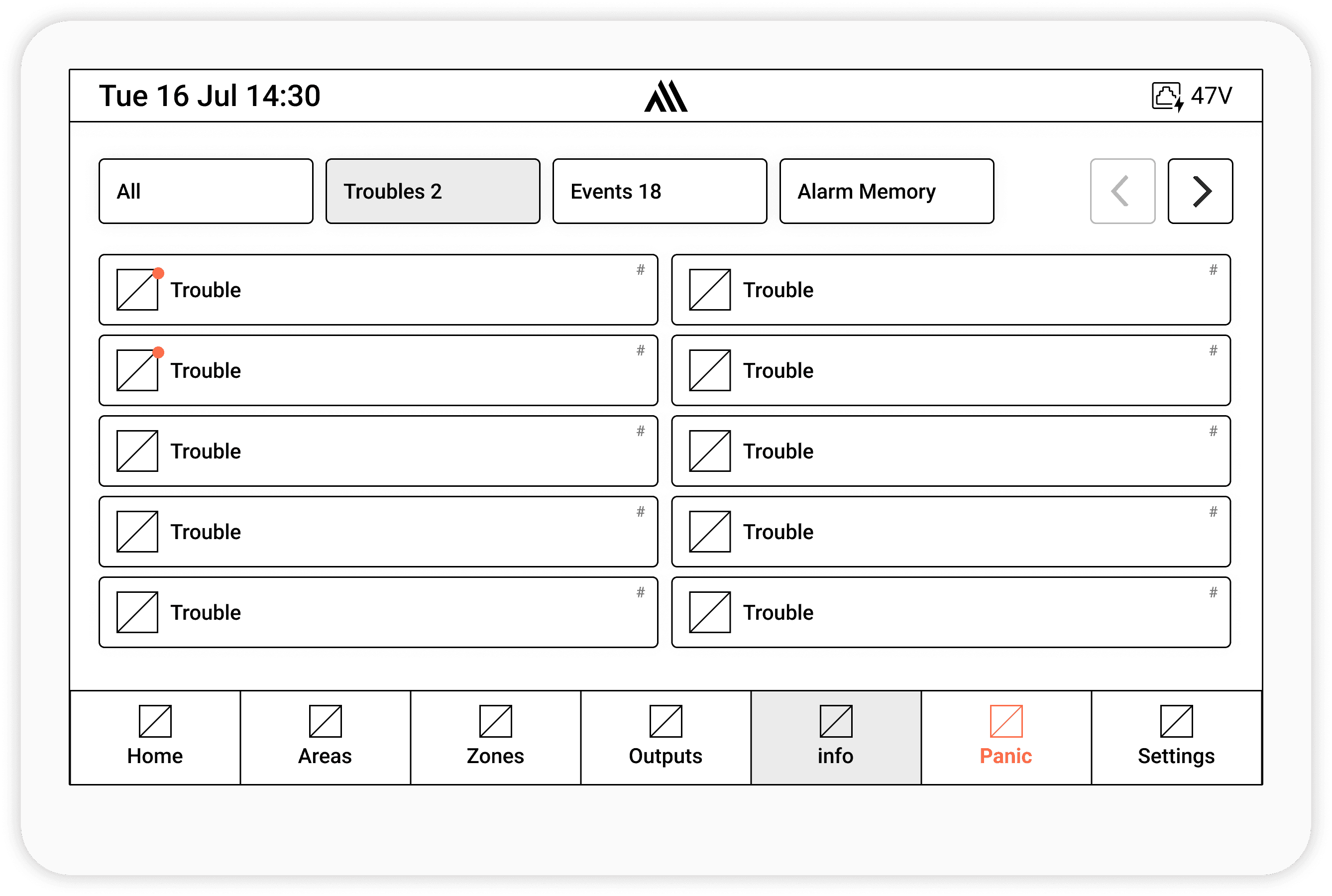
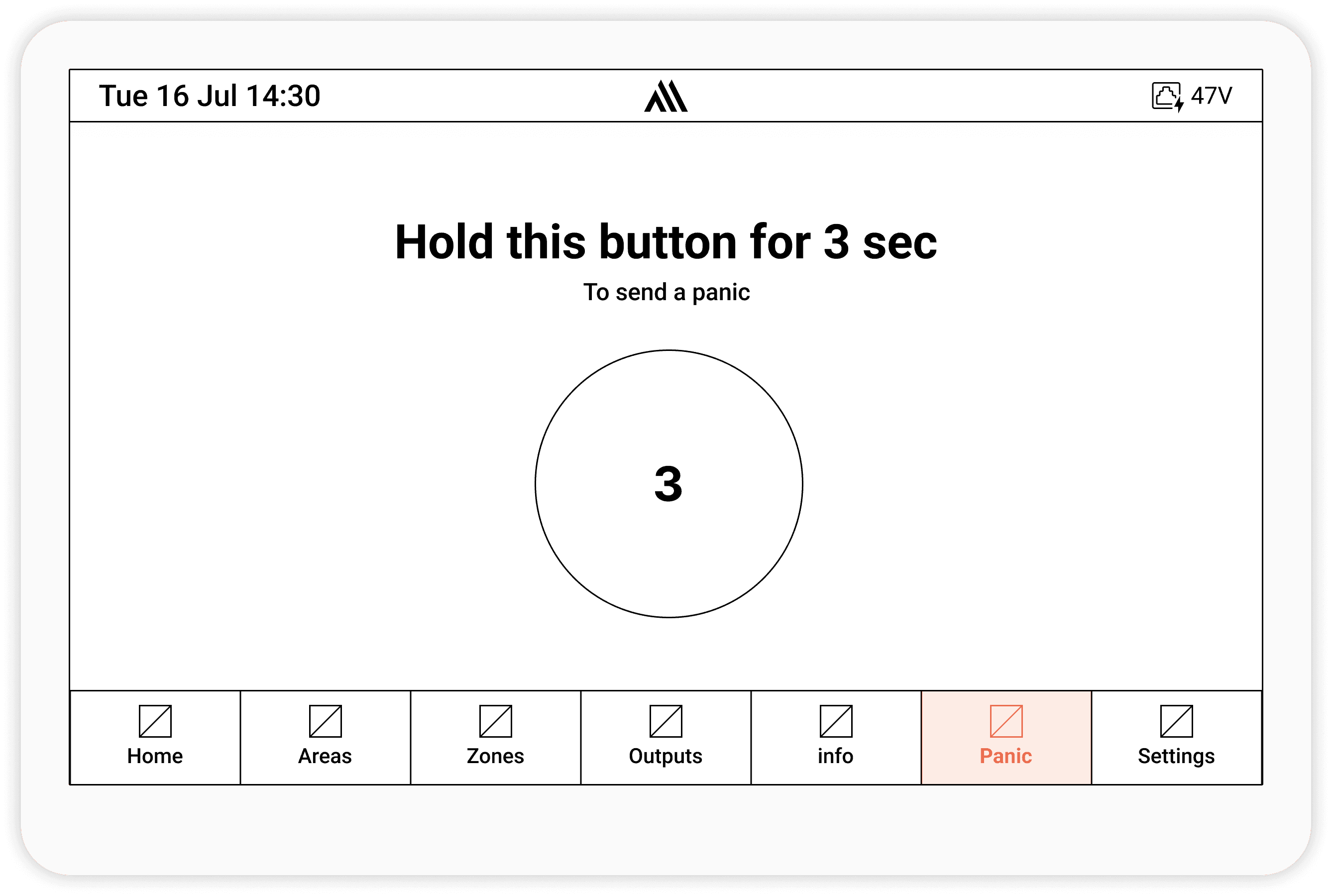
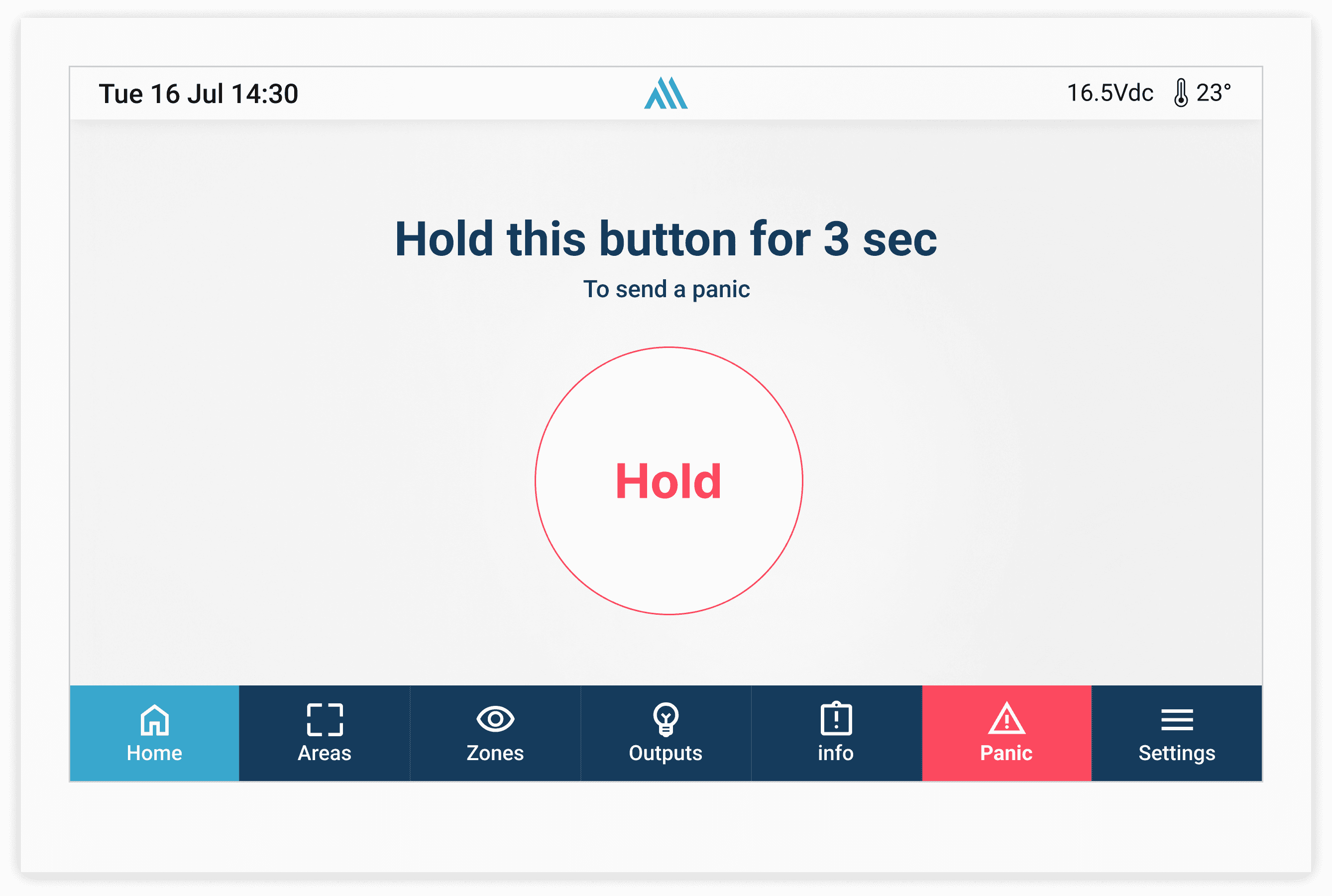
The keypad wireframes focused on simplifying critical security actions and improving usability during high-pressure situations. Early explorations tested button hierarchy, spacing, feedback states, and navigation patterns to create a faster and more intuitive experience. The goal was reducing confusion, improving visibility of important actions, and making the interface feel clear, responsive, and reliable.


Screen Saver
was designed to keep important system information visible while maintaining a clean and minimal appearance during idle states. It displayed essential statuses such as time, arming state, alerts, and connectivity, helping users quickly understand the system condition without fully interacting with the keypad interface.


Takeaway & Reflection
Along the way, I learned how clarity emerges not just from minimalism, but from deliberate structure, visual hierarchy, and predictable interactions. The new design reduces friction for casual users while still empowering advanced ones to act with confidence.