
Installer M20
the core setup tool for security systems, was reimagined to streamline the installation process for field technicians. The goal was to reduce complexity while maintaining the flexibility needed for diverse system configurations. Through installer interviews and on-site observations, key pain points were identified—slow workflows, unclear steps, and fragmented tools.
Platform
IOS / Android
Year
2025
Collaborators
Development, QA, Brand Design
The Challenge
The M Installer was intelligently streamlined to enhance efficiency, with the installation process organized into four clear stages: Setup, Device Pairing, Programming, and Testing. This structured approach minimizes complexity, reduces errors, and ensures a smooth workflow, allowing installers to move seamlessly from one step to the next while maintaining accuracy and speed throughout the project.
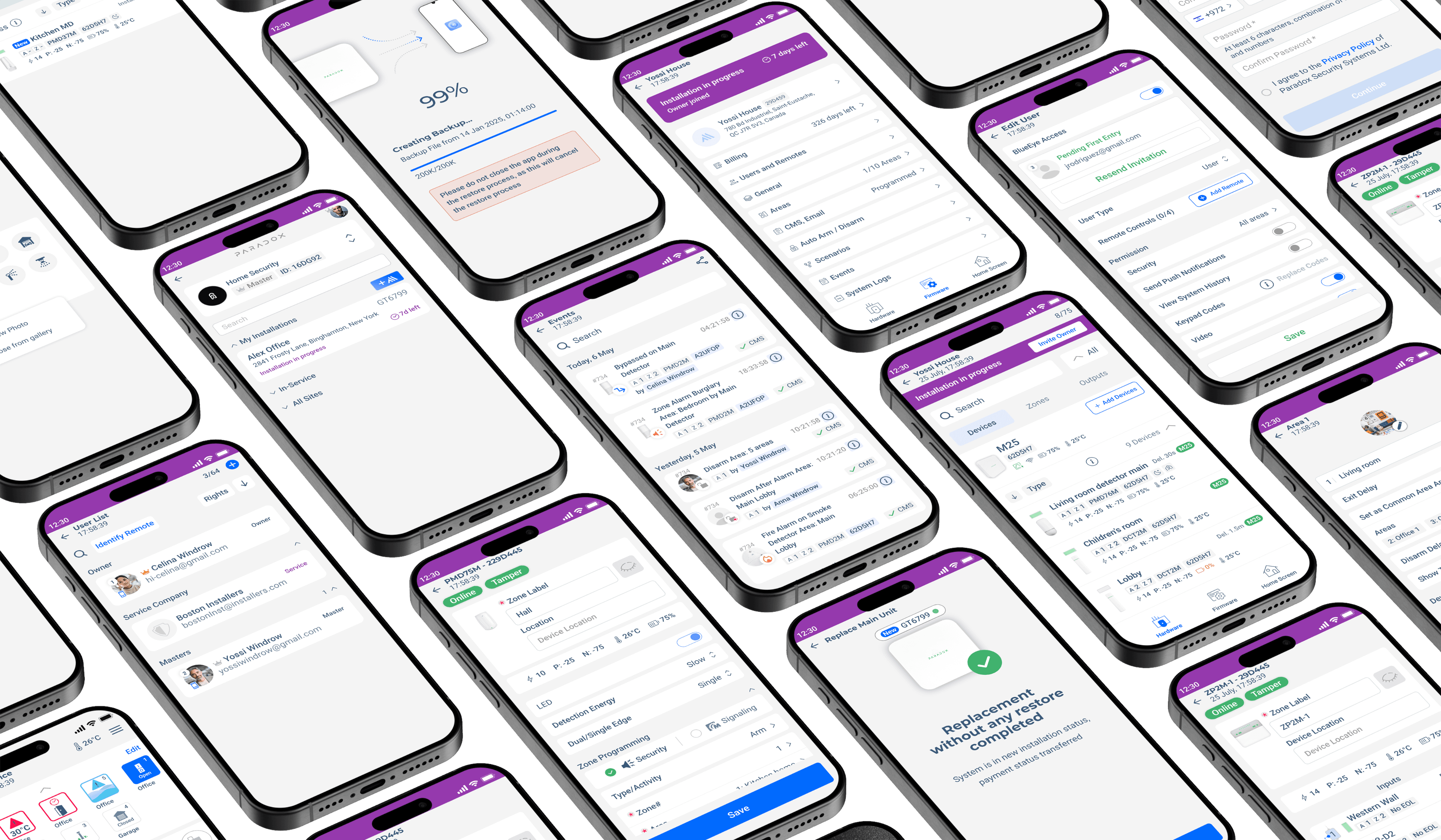
Key-challenges included
The M Installer was intelligently streamlined to enhance efficiency, with the installation process organized into four clear stages: Setup, Device Pairing, Programming, and Testing. This structured approach minimizes complexity, reduces errors, and ensures a smooth workflow, allowing installers to move seamlessly from one step to the next while maintaining accuracy and speed throughout the project.
Research & Insights
Designing meant understanding the unique challenges installers face in the field; working under time pressure, managing multiple devices, and configuring complex security systems directly from mobile devices.
Unlike desktop environments where installers can view diagnostics, device lists, and configuration tools simultaneously, mobile workflows require faster navigation and more focused interactions. The challenge was creating an experience that stays powerful without overwhelming the user on smaller screens.
To better understand installer behavior and expectations, I analyzed professional tools used in networking, smart home automation, and industrial setup applications. The research focused on how mobile-first professional tools handle:
Device discovery and setup flows
Large amounts of technical information
Fast access to critical actions and diagnostics
Contextual configuration and guided workflows
Navigation between multiple sites, devices, and system states
Through interviews and usability testing with installers, I identified a recurring pattern: experienced technicians wanted speed and minimal interruption, while newer users needed more guidance and clarity during setup.
This insight shaped the overall approach: keeping advanced workflows fast and efficient while introducing contextual assistance only when it adds value, such as after device scanning, during troubleshooting, or when configuring unfamiliar hardware.
Strategy M Project
Step 1: Understanding the Installation Flow
Analyzing the current M Installer experience by mapping the installation process, identifying unclear steps, outdated UI components, and points where users struggle to understand configuration or system requirements.
Step 2: Improving Installation Guidance
Designing clearer navigation, step-by-step guidance, and better system feedback. Introducing progress indicators, simplified configuration options, and contextual help to reduce confusion during the installation process.
Step 3: Creating a Transparent Installation Experience
Providing real-time status updates, clearer error messages, and better visibility of installation stages so users understand what is happening and feel confident throughout the setup process.
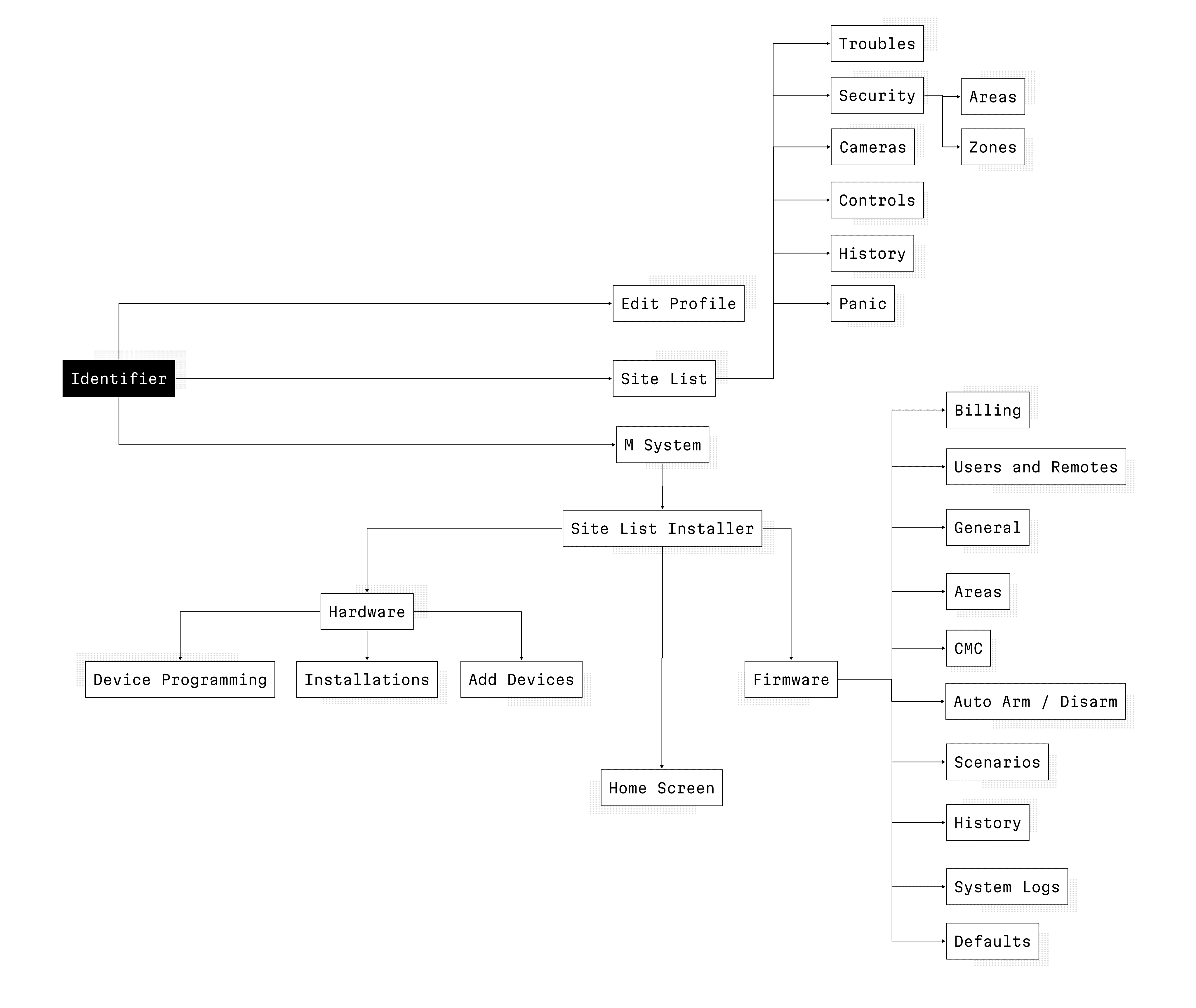
The Information Architecture
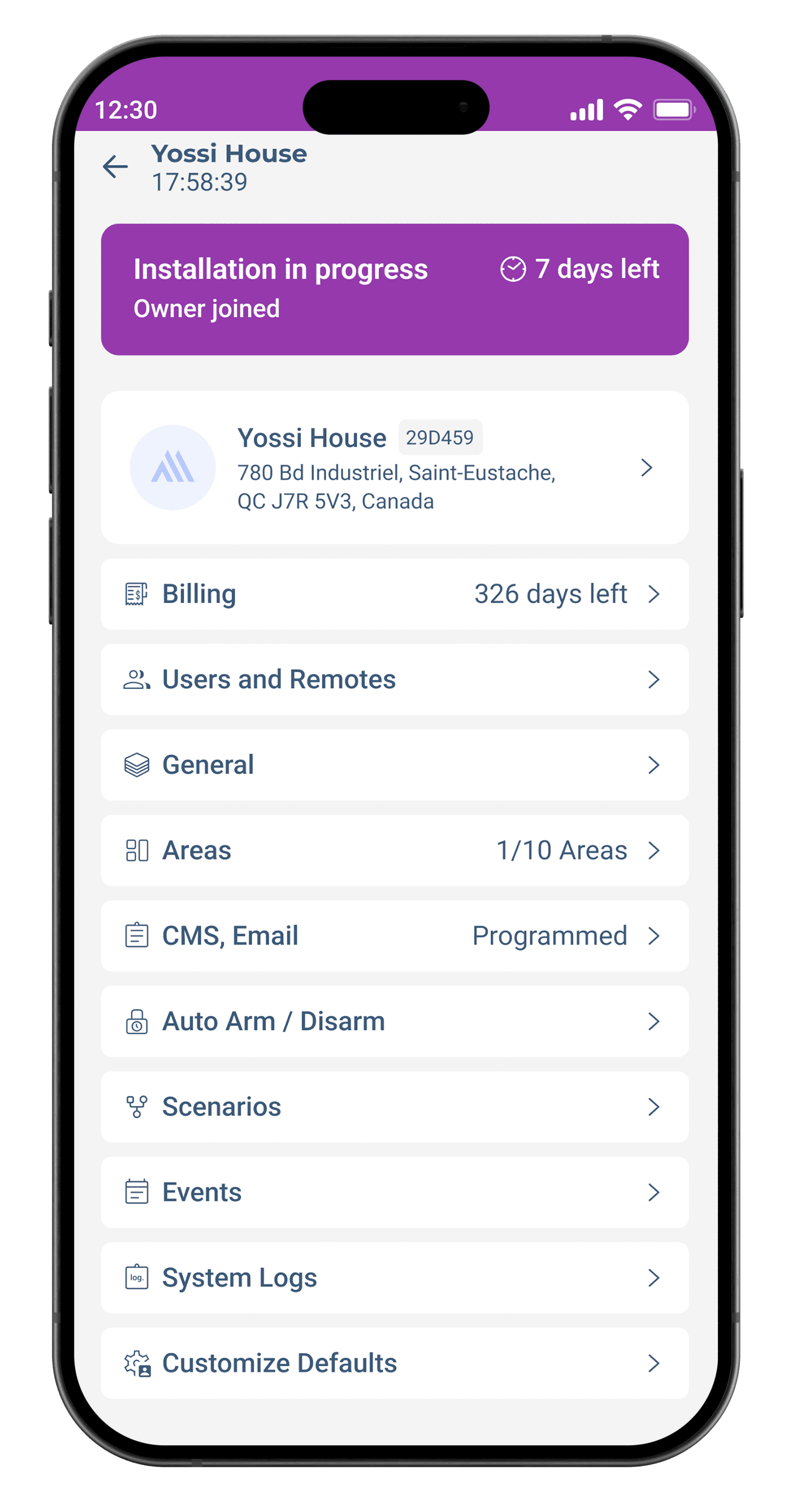
of M Installer was designed to help professional installers navigate complex security systems quickly and confidently in the field. The structure prioritizes task-based workflows, grouping related actions such as device setup, area configuration, camera management, automation, diagnostics, and user permissions into clear, predictable sections.
Navigation was optimized to reduce cognitive load on mobile devices, allowing installers to move between devices, system states, and configuration tools without losing context. The architecture also supports scalability, enabling installers to manage both small residential systems and large commercial sites from the same interface. Contextual actions, status visibility, and streamlined hierarchy helped create faster, more reliable installation and maintenance workflows.
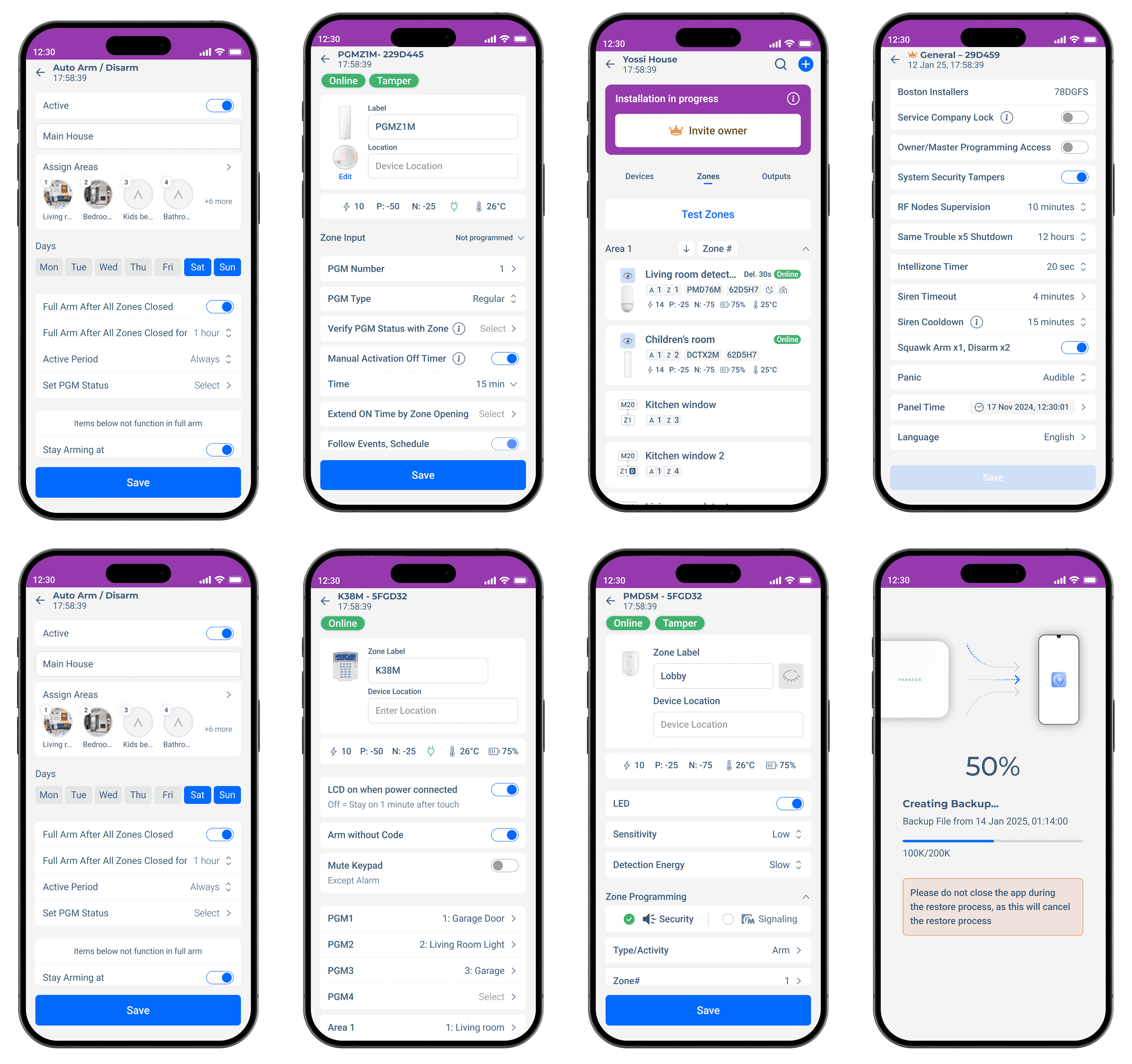
Installer Journey
in M Installer was designed around real field workflows, from device discovery and configuration to diagnostics and remote maintenance. Each step focuses on speed, clarity, and reducing repetitive actions. The experience helps installers stay efficient under time pressure while managing multiple devices, system states, and customer requirements from one interface.
Dark Mode
in the M Installer and BlueEye applications was designed to improve usability, reduce visual fatigue, and create a more focused experience across different environments. For installers working in low-light areas such as server rooms, garages, or nighttime installations, dark mode minimizes eye strain while keeping critical information clear and readable.
In BlueEye, dark mode supports a calmer and more modern atmosphere for everyday users managing security, cameras, and smart home controls during the evening. Special attention was given to contrast, hierarchy, and accessibility to ensure alerts, statuses, and actions remain instantly recognizable while maintaining a clean, professional, and immersive visual identity across both platforms.


Main Flows
The core flows in were designed around the daily workflow of professional installers, focusing on speed, clarity, and reliability in the field.
Key flows included device discovery and auto-detection, system configuration, area and zone management, troubleshooting, diagnostics, firmware updates, and remote maintenance. I also worked on flows for camera setup, user permissions, alarm states, notifications, and live device monitoring.
Each flow was optimized to reduce unnecessary steps and surface relevant actions at the right moment. The goal was creating a streamlined experience that supports both experienced technicians who prioritize efficiency and newer users who need clearer guidance during setup and maintenance.
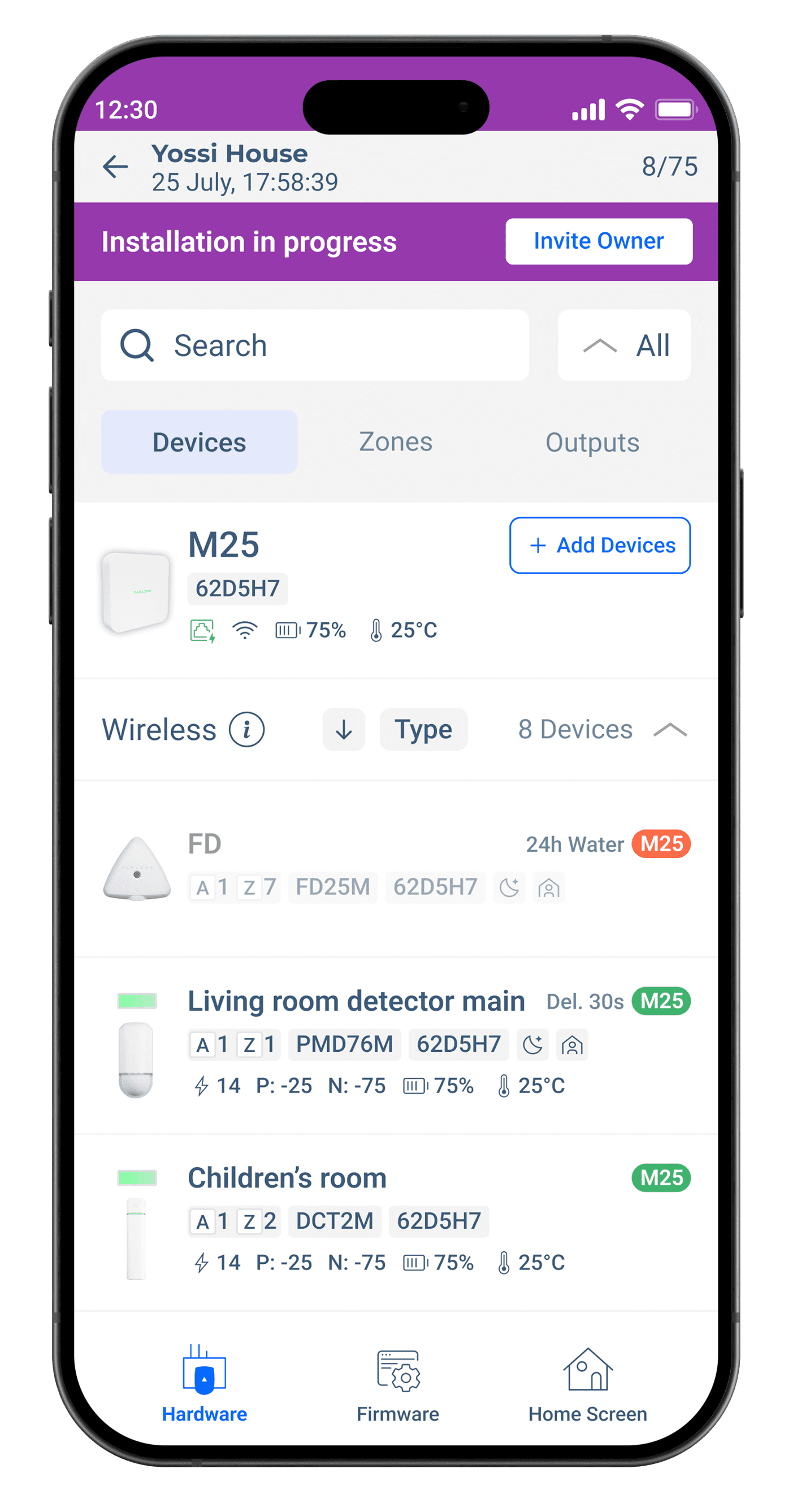
Device List
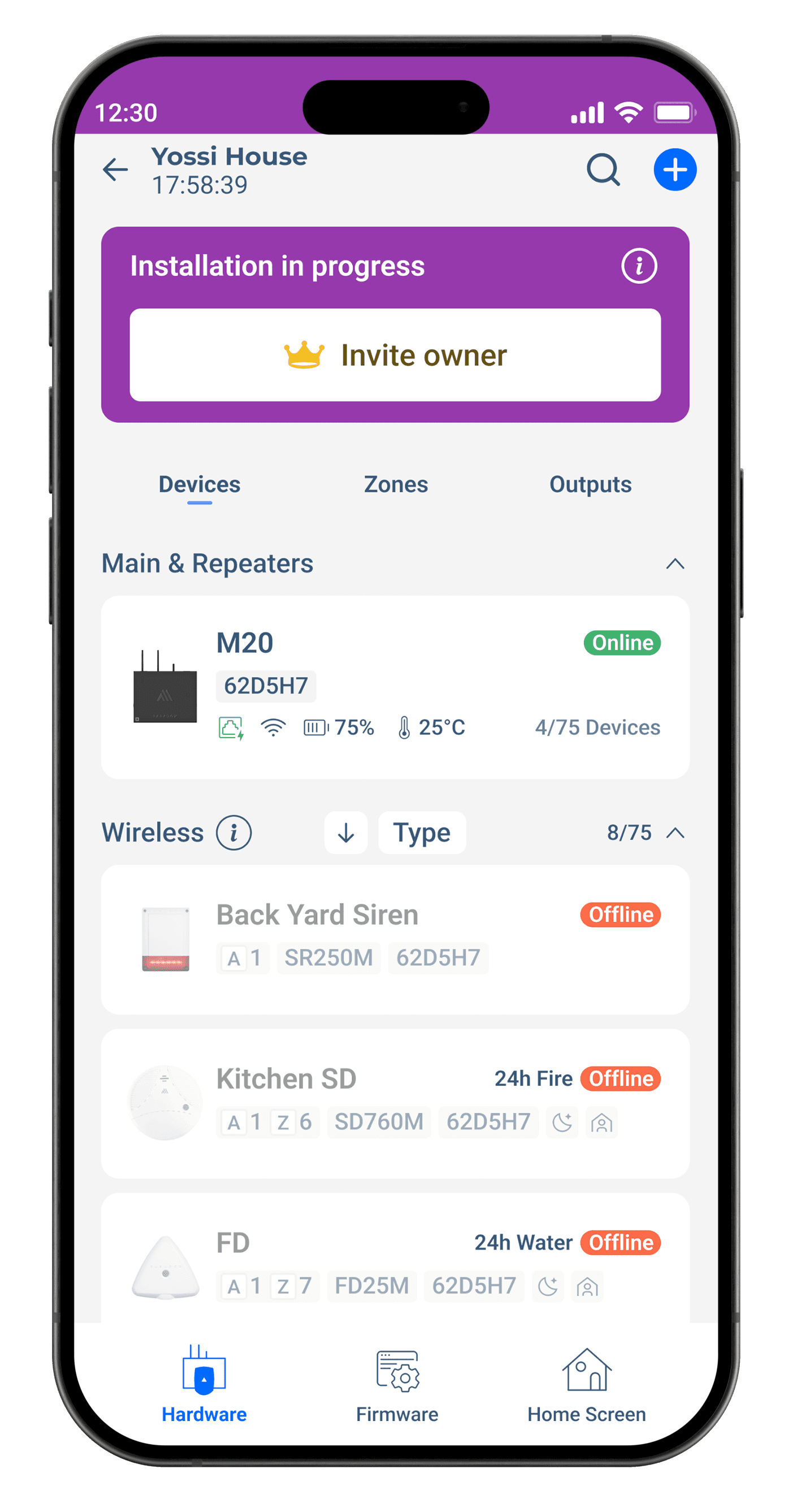
To streamline device setup and monitoring, a centralized device list was created to display status
Device List shows the “Installation in progress” view for Site, displaying connected devices, their status, battery, signal, and temperature. Users can search, filter, and add devices. Each device entry includes type, ID, and relevant metrics. Navigation tabs allow switching between Devices, Zones, and Outputs for streamlined setup and monitoring.
User List
Comprehensive User Management and Status Overview
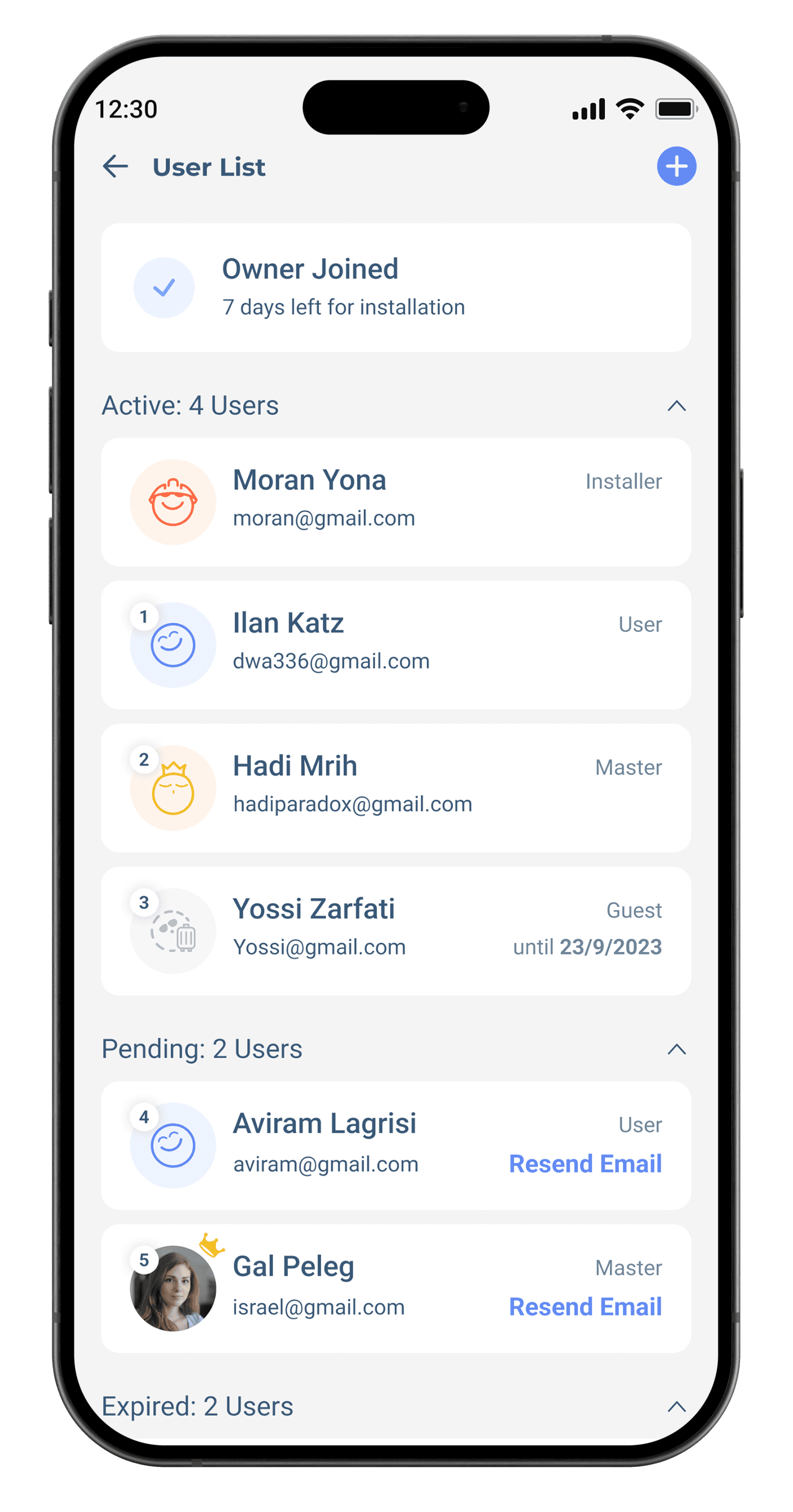
To simplify user management, a structured list view was introduced, grouping active, pending, and expired users with role-based labels and quick actions like “Resend Email.” This design improves clarity, reduces search time, and streamlines installation collaboration by displaying essential status details at a glance.
Device Programming
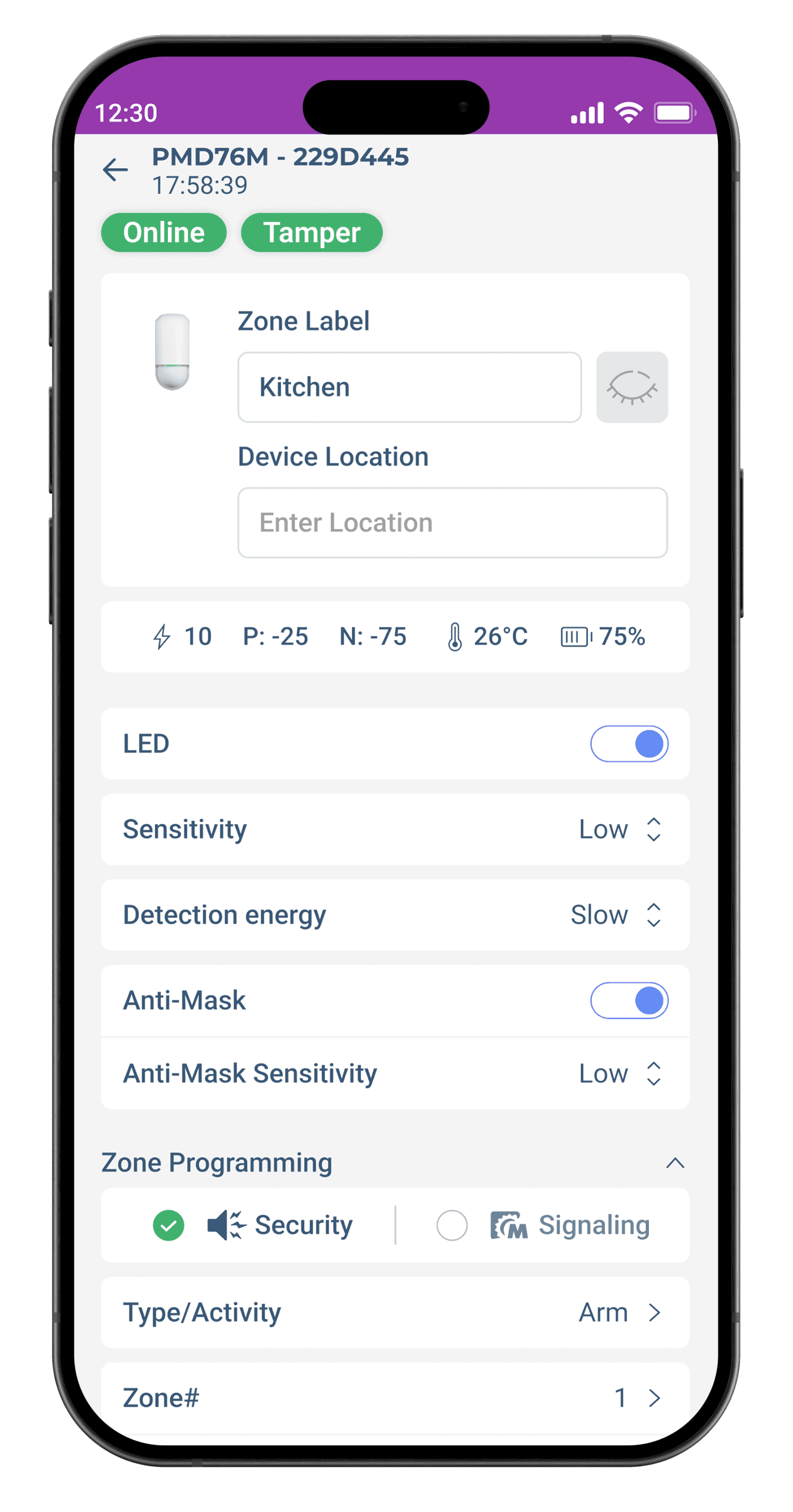
Streamlined Device Programming Interface
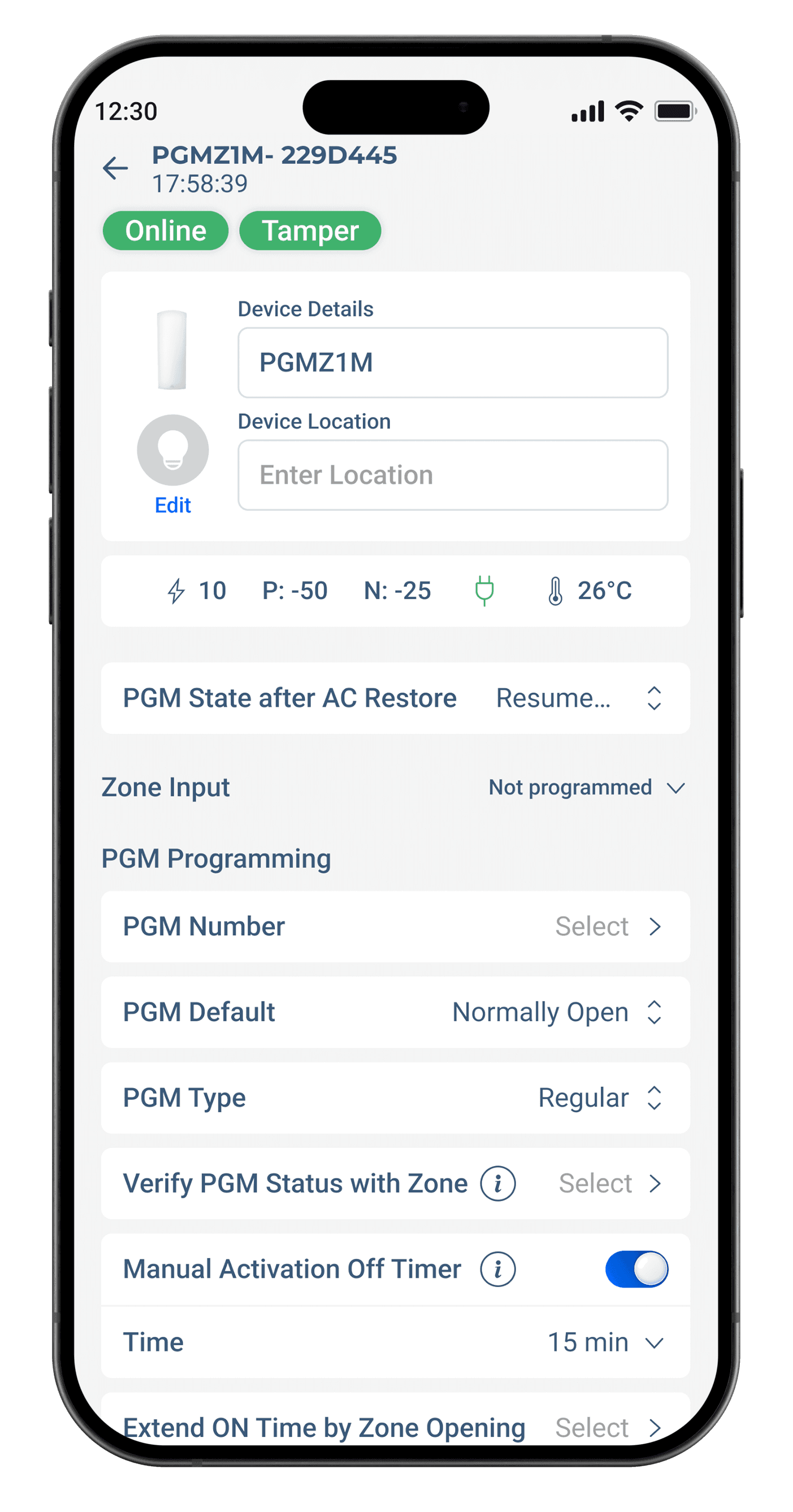
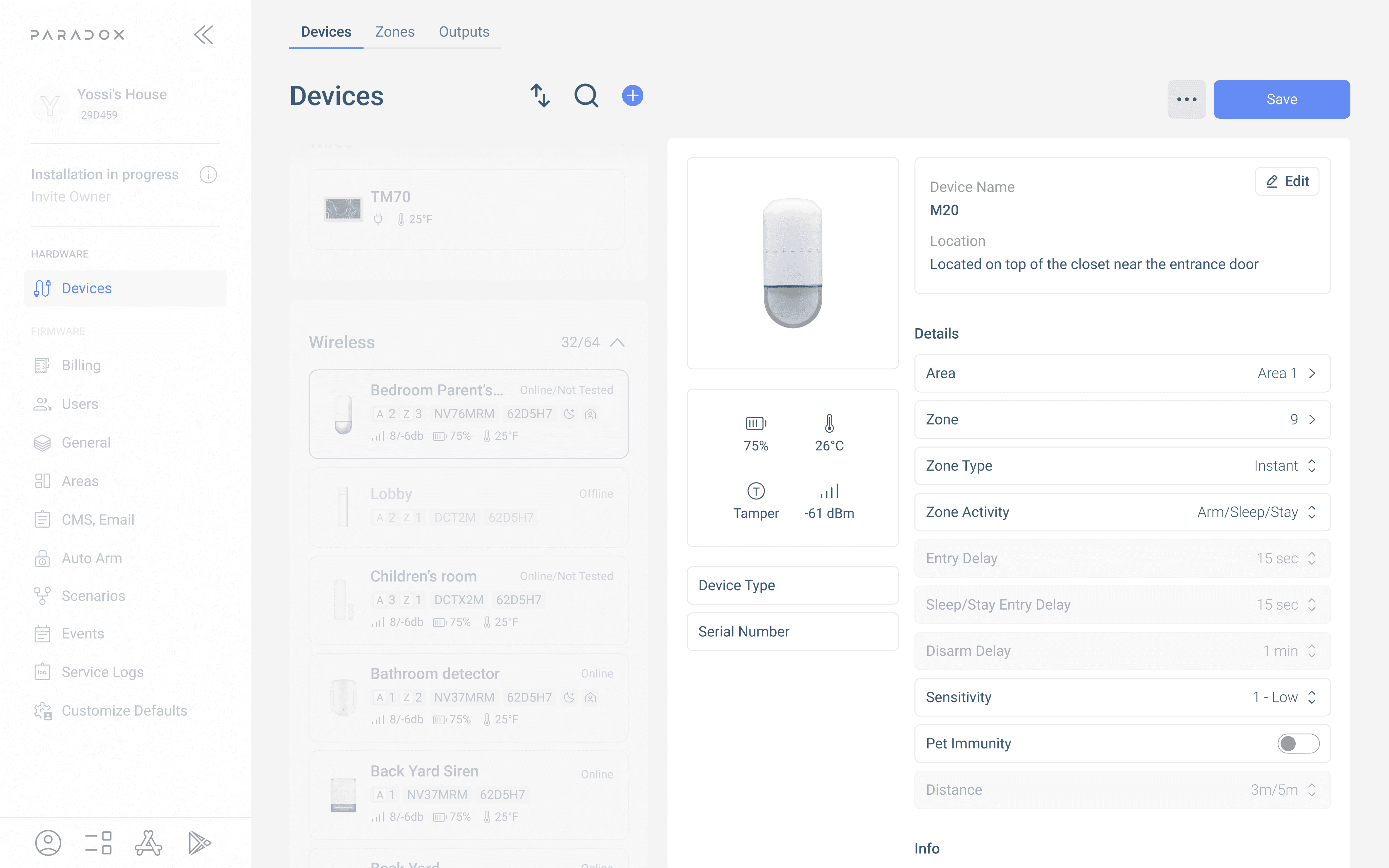
This screen streamlines device programming by combining status indicators, real-time metrics, and editable details in a clear layout. Settings are grouped logically, with dropdowns, toggles, and inline explanations for ease of use. Installers can quickly adjust default states, types, timers, and zone links, ensuring efficient configuration while maintaining clarity and reducing cognitive load during setup.
Pain Points
Difficult updates and maintenance – Users struggle to apply patches or new versions due to unclear update mechanisms.
Uninstall and rollback issues – Removing or reverting the installer can be complicated, leaving leftover files or broken configurations.
Performance and compatibility problems – Installed software may conflict with existing system components, causing crashes or slow performance.
Opportunity Areas
Simplify updates and maintenance – Make applying patches, upgrades, or hotfixes smooth and automated.
Improve uninstall and rollback processes – Enable clean removal or easy rollback to previous versions.
Increase stability and compatibility – Reduce system conflicts, crashes, and performance issues across different environments.
The Challenge
How might we bring a mobile-first installer tool to desktop without losing speed, clarity, or simplicity?
I was given the following needs and constraints:
Design a PC version of the existing mobile M Installer app
Support complex multi-zone configurations with wired and wireless devices
Ensure flow clarity for both first-time installers and power users
Maintain UI consistency with mobile while leveraging desktop advantages

PC Software
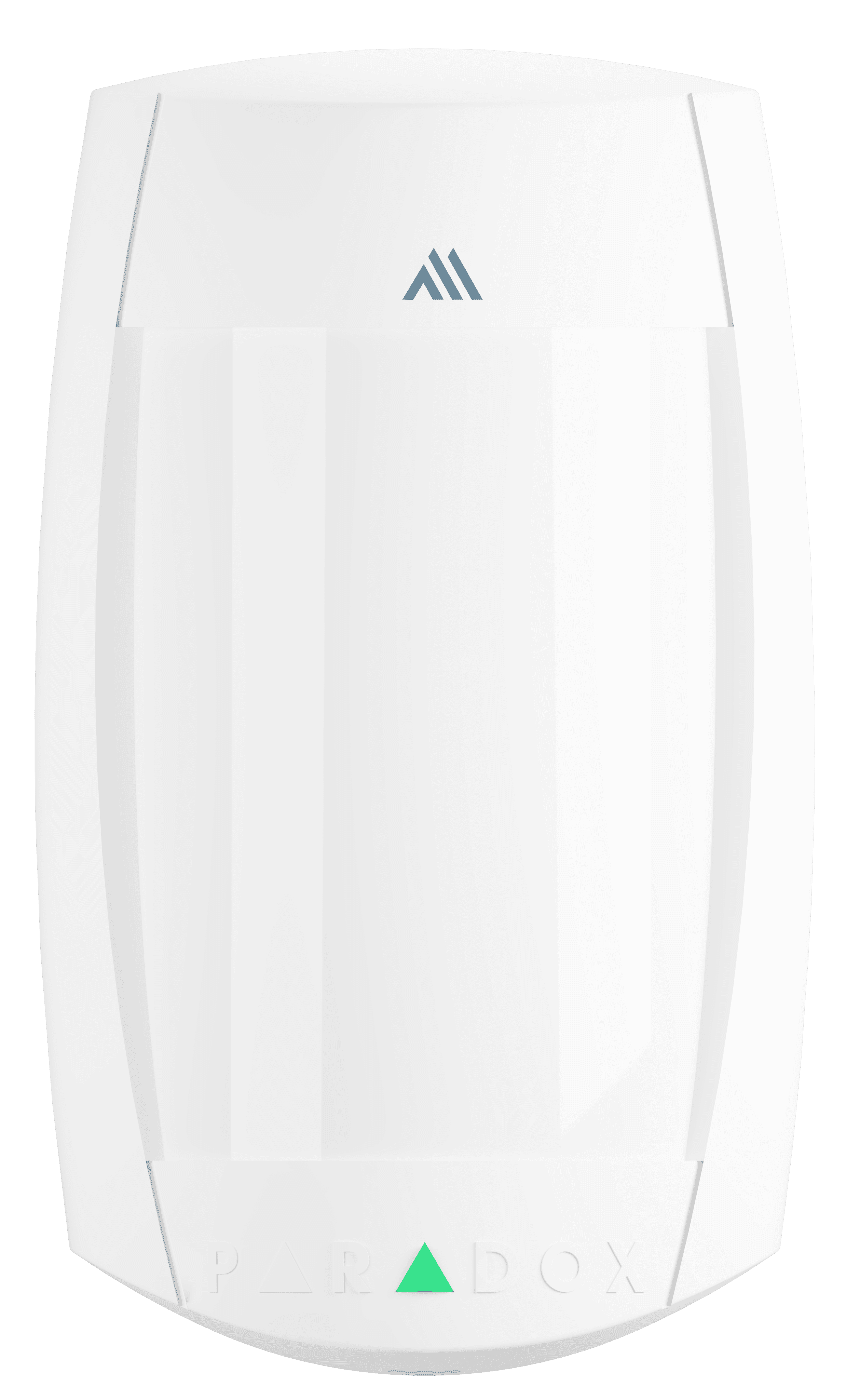
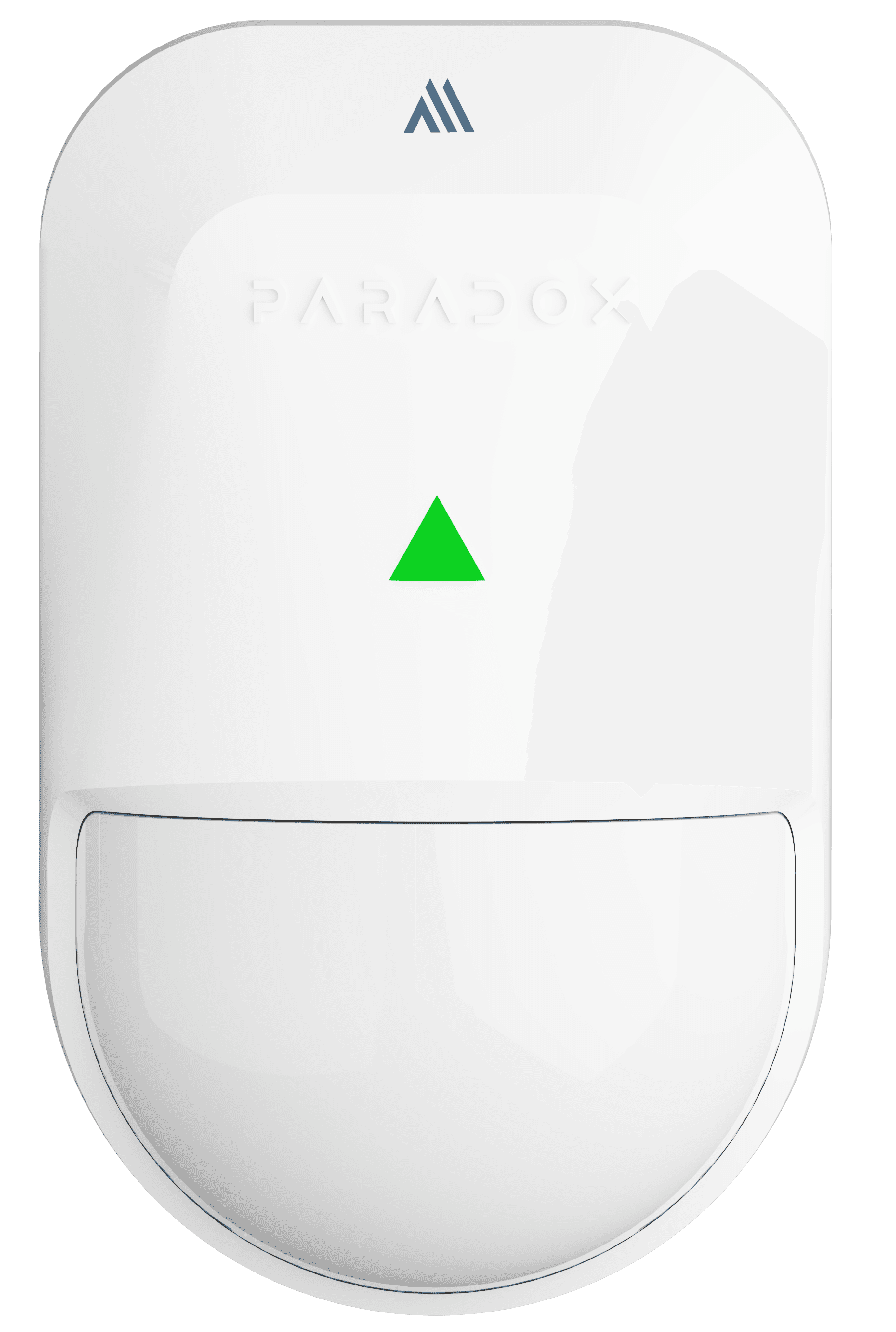
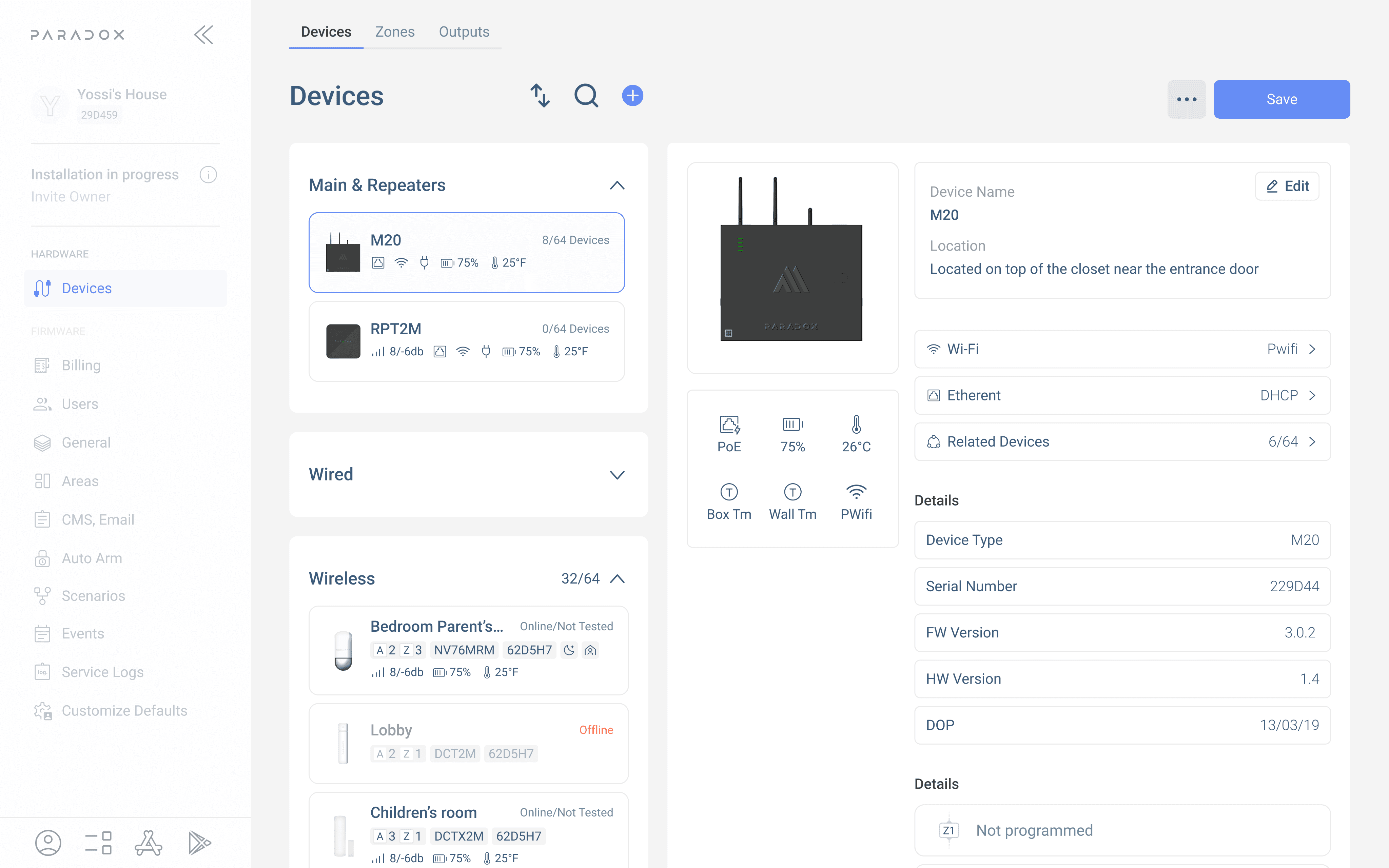
is a professional PC software platform designed for security system installers and technicians. It allows users to configure, monitor, diagnose, and maintain alarm systems, cameras, automation devices, and connected security hardware from a single workspace.
The platform streamlines complex installation workflows by combining device management, live system status, remote access, firmware updates, troubleshooting tools, and configuration settings into one unified experience. Designed for both on-site and remote work, the software helps installers manage multiple systems more efficiently while reducing setup time and simplifying technical operations. The focus was creating a fast, reliable, and scalable experience for professional security environments.
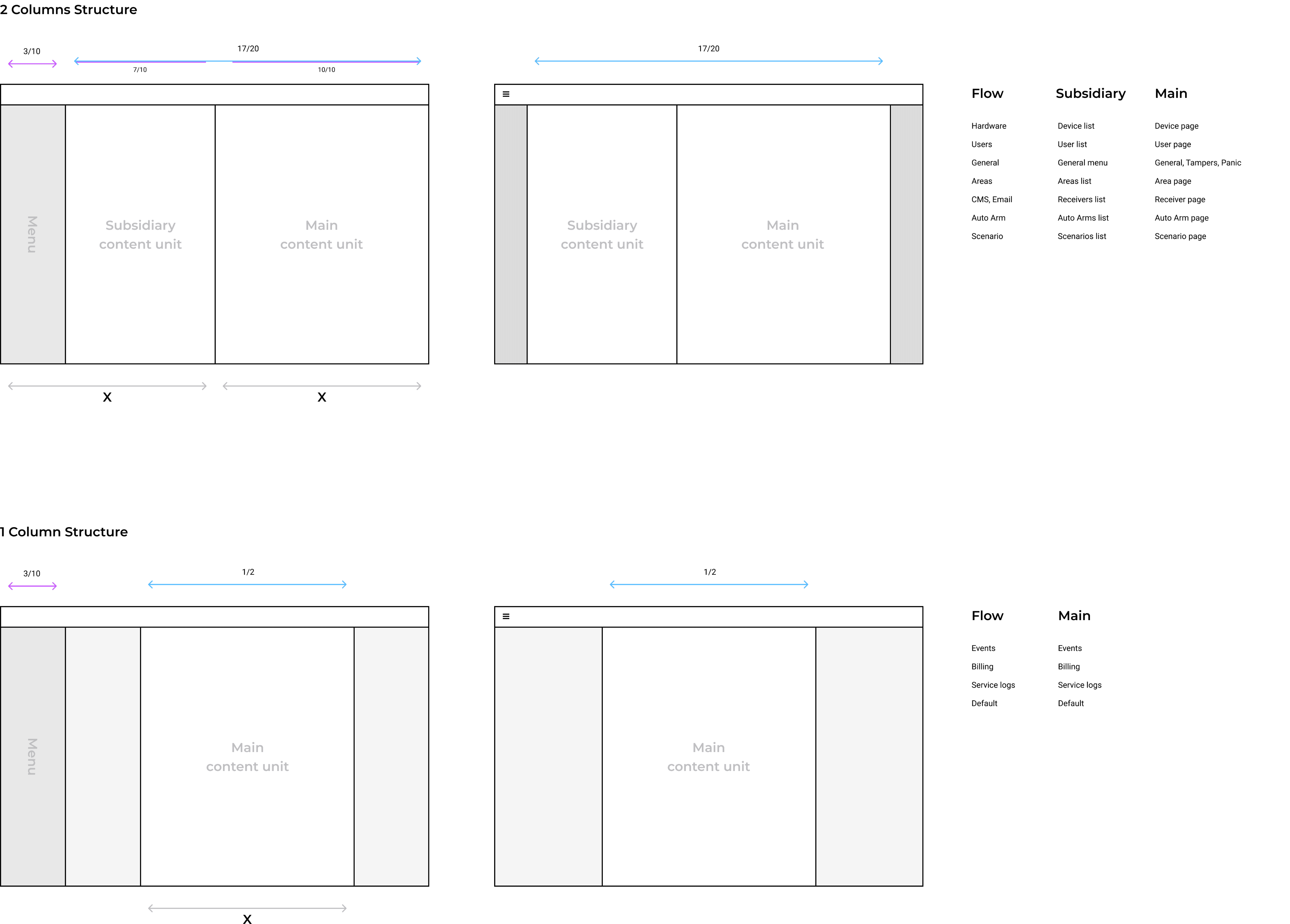
Grid System
for the PC software was designed to support complex workflows while maintaining visual clarity and consistency across large interfaces. A flexible multi-column layout allowed different panels, diagnostics, device lists, and configuration tools to coexist without overwhelming the user. Spacing, alignment, and responsive behavior were standardized to create predictable interactions and improve scanability during long sessions. The system also supported scalability, enabling new modules and tools to integrate seamlessly into the interface. By establishing a structured layout foundation, the grid system improved usability, reduced visual clutter, and helped installers manage multiple tasks efficiently within a professional desktop environment.

User Flow Architecture
for the PC software was built around logical task progression and modular navigation. Related actions such as setup, monitoring, diagnostics, and maintenance were grouped into connected workflows, reducing unnecessary transitions. The structure helped installers move efficiently between tools while maintaining context across complex system configurations and multi-device environments.

Main Flows
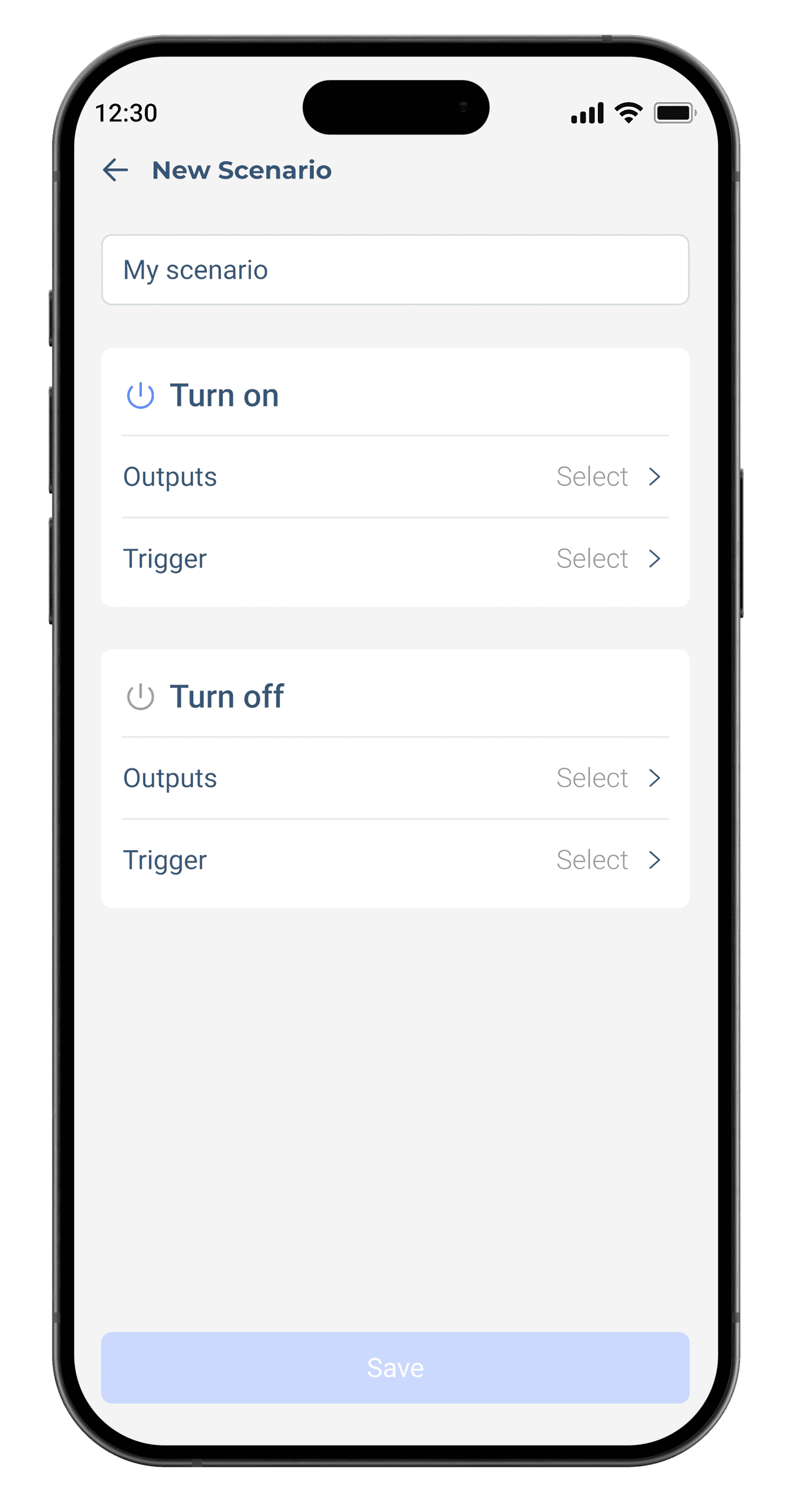
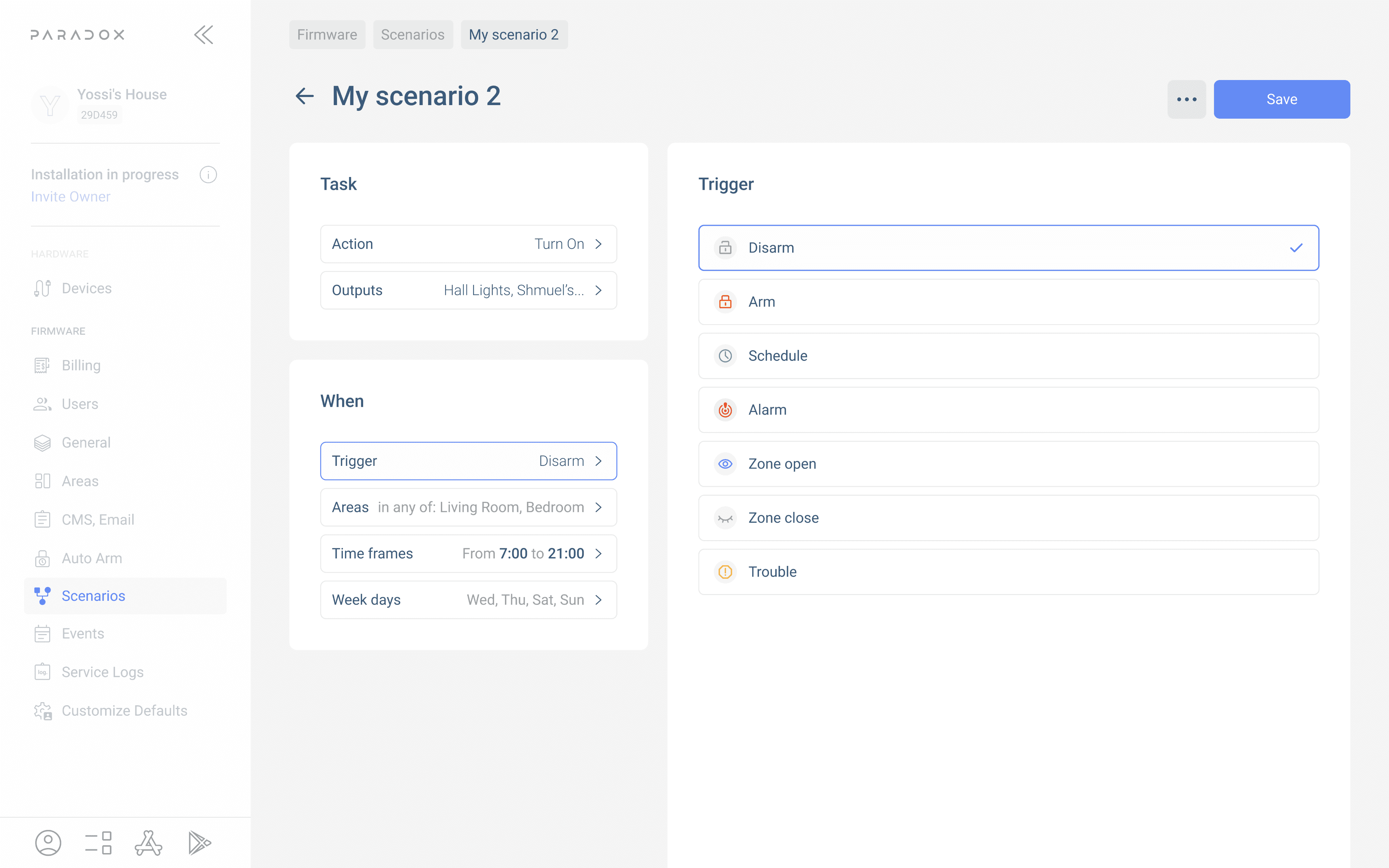
The main flows in PC software were designed to support professional installers managing complex security systems across multiple sites and devices.
Core workflows included system configuration, device enrollment, live diagnostics, firmware management, area and zone programming, user permissions, camera integration, and remote troubleshooting. The platform also supported monitoring real-time system activity, reviewing alerts, and managing automation settings from a centralized workspace.
Because installers often work with large amounts of technical information simultaneously, the experience focused on fast navigation, clear hierarchy, and efficient multitasking. The goal was reducing setup complexity while improving speed, visibility, and overall operational control.
Summary